 Learning
 Where you have been
Return to completed work and the learning context already established.
Built around the learning journey
A Student should not have to remember where they left off, hunt for lesson resources, or lose what happened after class. Cognit keeps the current lesson connected to earlier progress, Coach context, notes, reflection, and the next step.
Start with context
Before the lesson starts, the Student can see what comes next, the current challenge and course, today’s goal, and the milestone that came before it.
The learning roadmap connects where you have been, where you are, and where you are going. A Coach note and course states add useful orientation without turning progress into a list of isolated assignments.
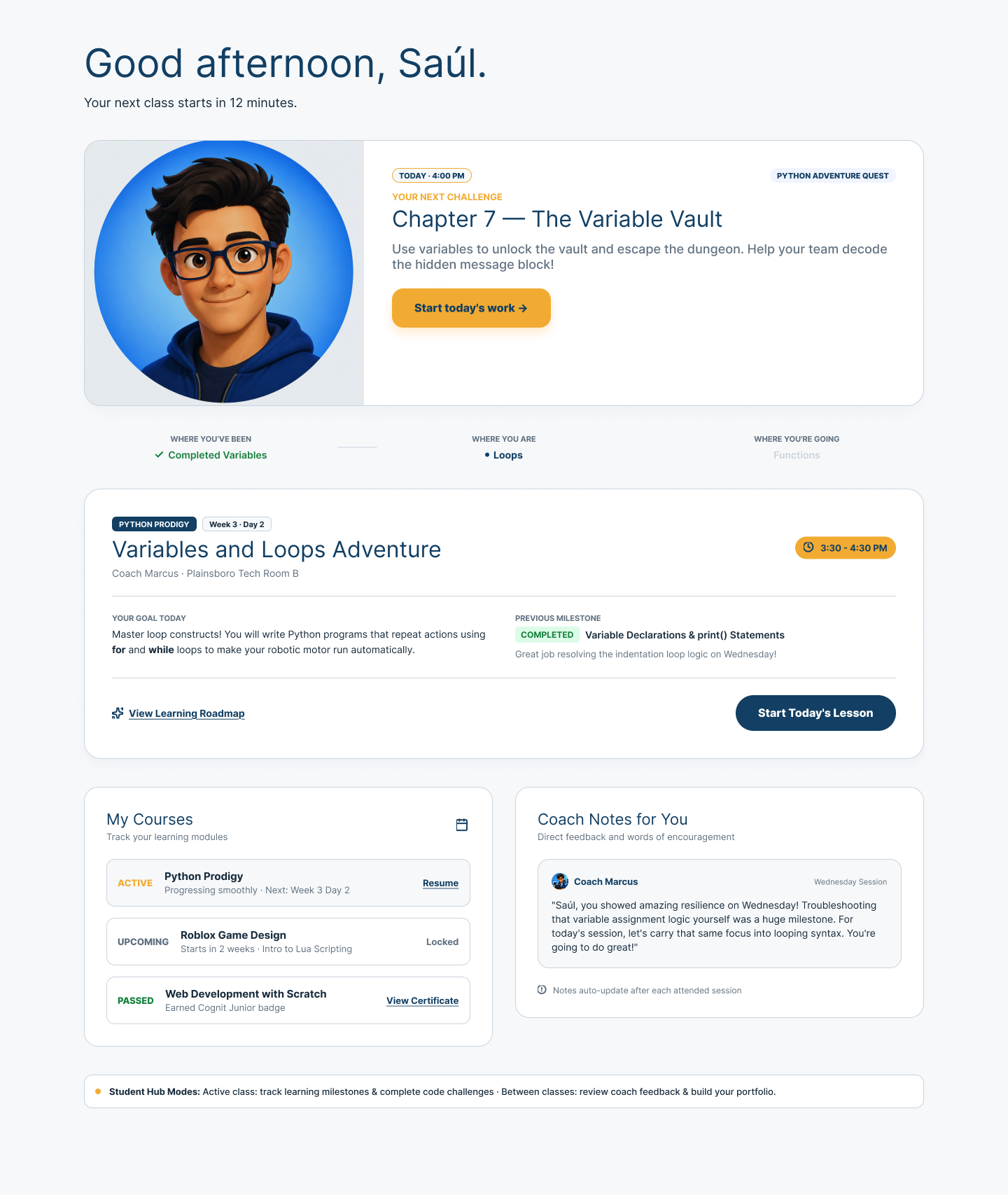
One connected journey
Today makes more sense when the Student can connect it to the milestone before it and the step that follows.
Return to completed work and the learning context already established.
See the current goal, challenge, lesson, and resources in one place.
Finish with the next learning moment already in view.
Lesson preparation
The lesson view brings together the objective, resources, working environment, previous-session recap, challenge progress, notes, and a clear help path.
Cognit keeps the lesson context visible beside the work. The example shows a route into an external coding environment; it does not imply universal tool integration.
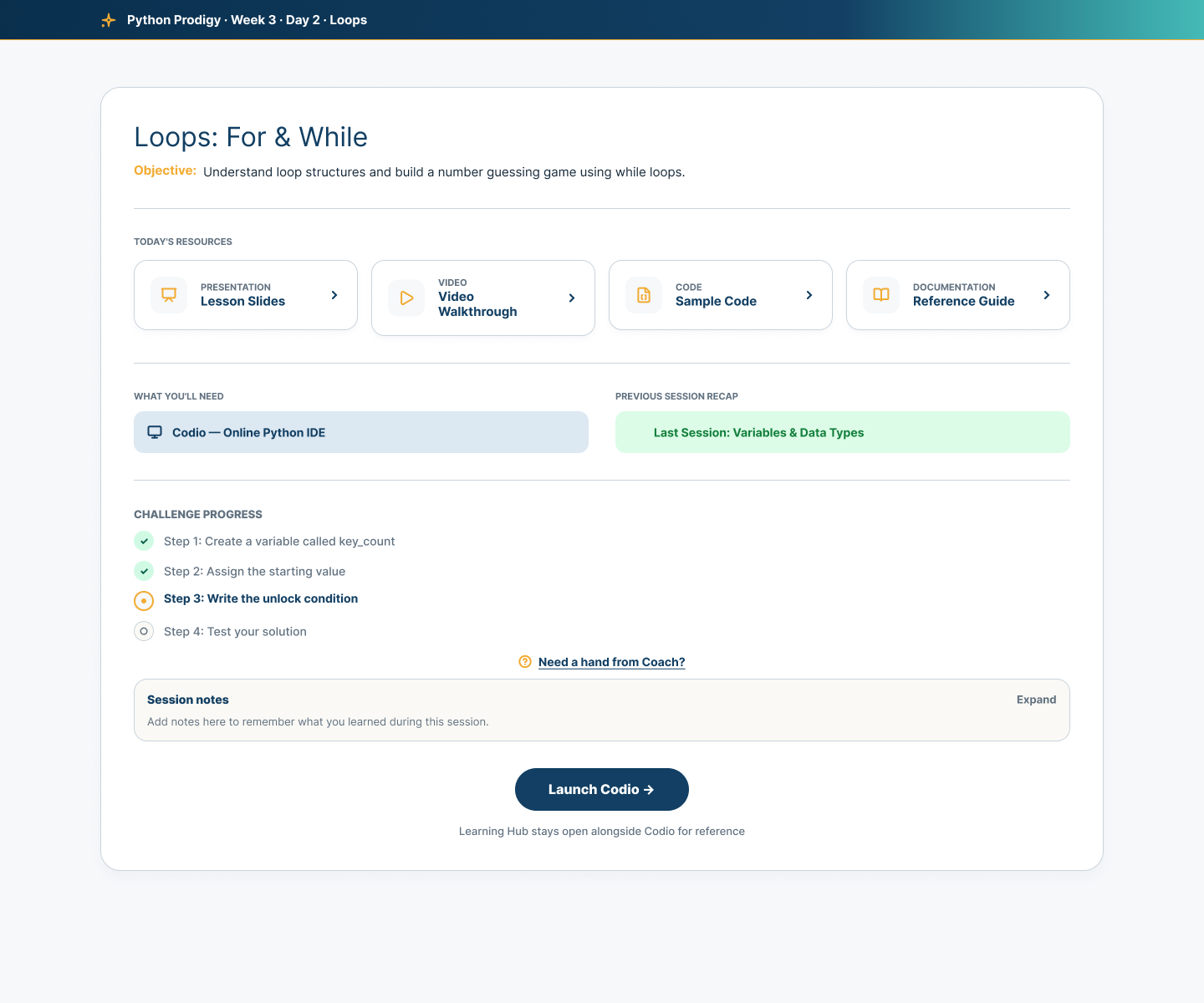
Active lesson
During the activity, completed, current, and upcoming steps stay visible with timing, quick notes, supporting resources, a completion action, and a way to ask for help.
Quick Notes give the Student a place to capture what they want to remember while the moment is still fresh. The lesson stays present without competing with the work.
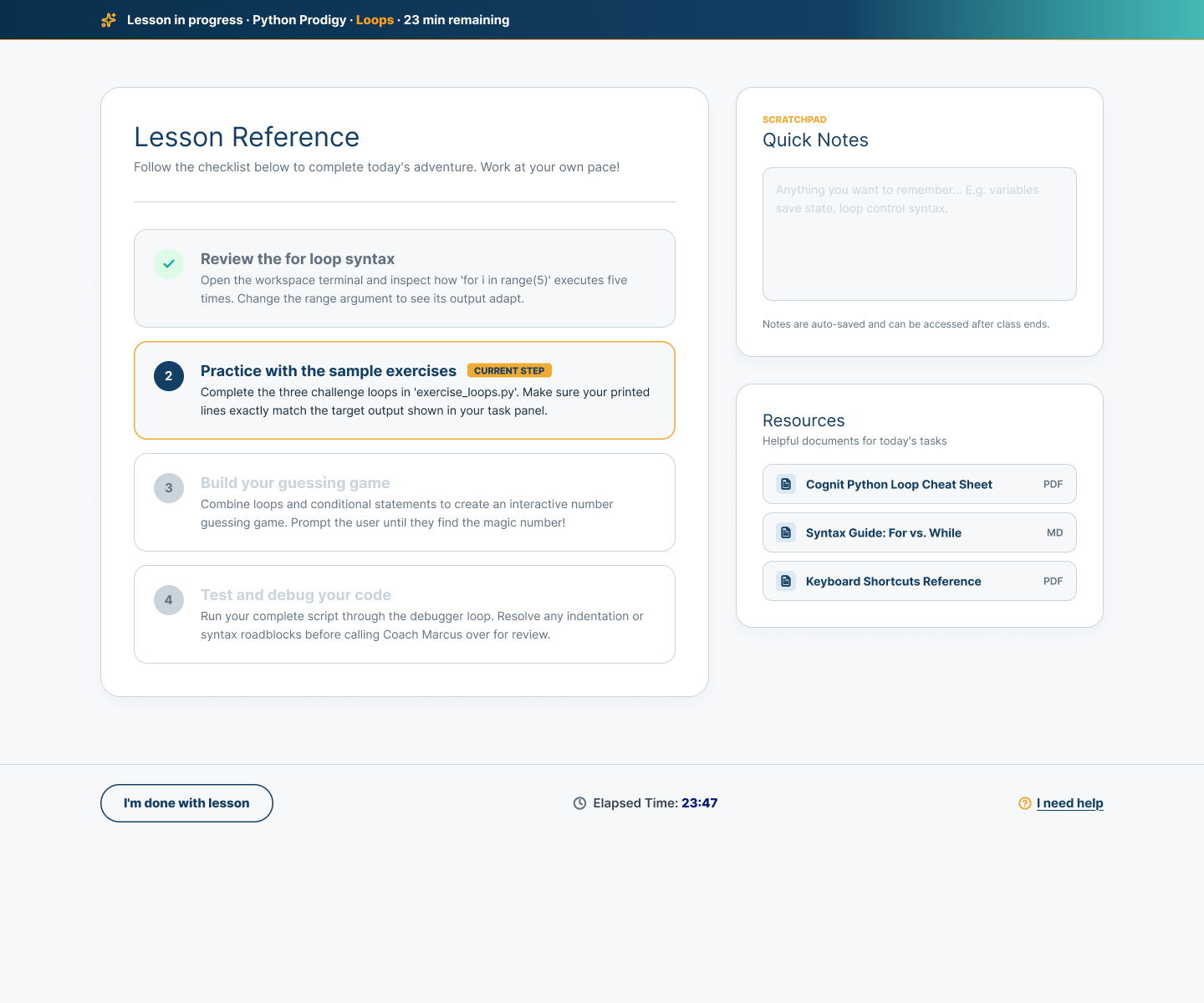
Reference at the right moment
A sample-code resource can keep several examples organized, let the Student copy a useful reference, and provide a route into the working environment without losing the lesson around it.
This demonstrates one resource pattern in the accepted Student experience—not code execution inside Cognit or a promise that every course includes code materials.
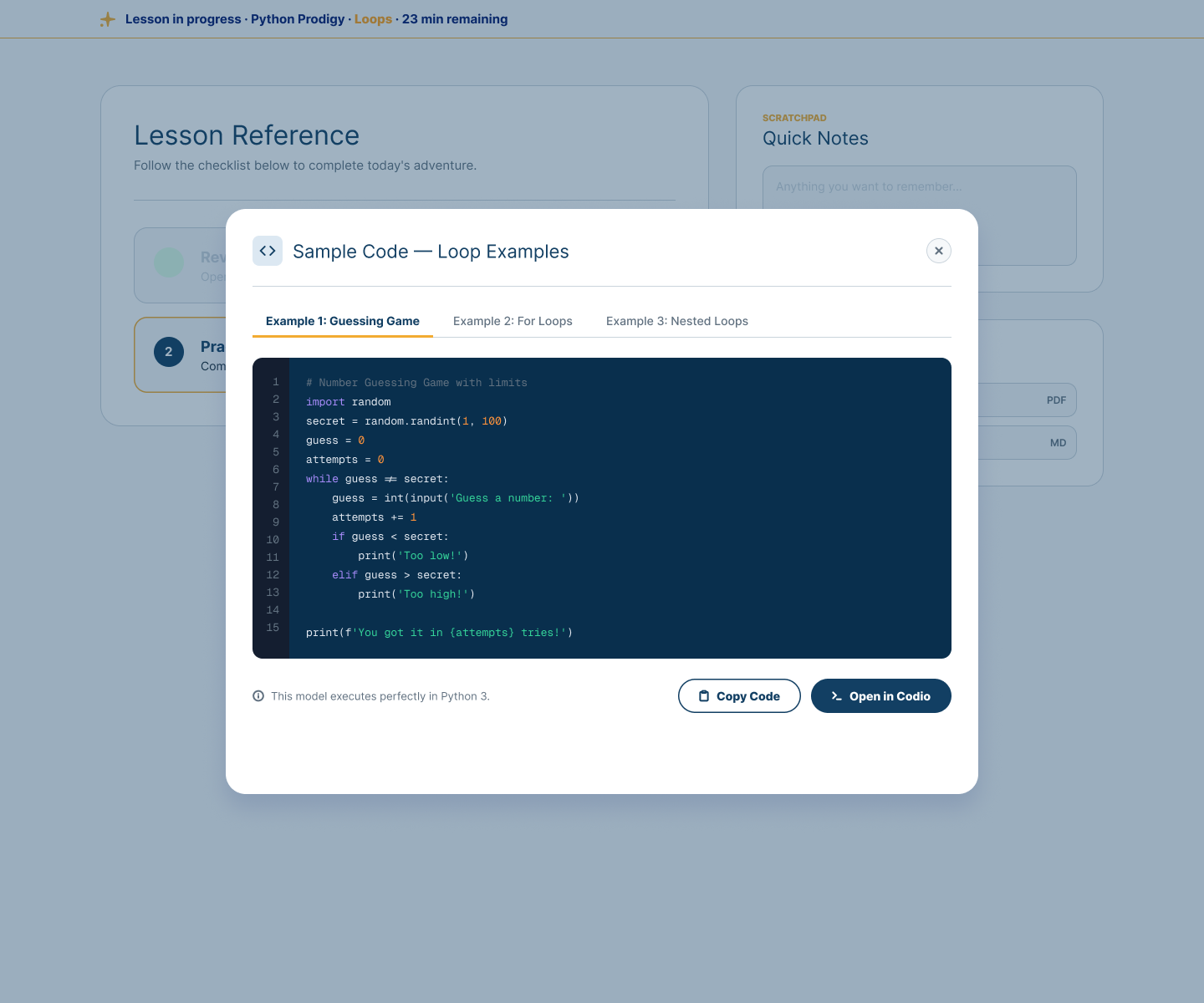
Connected lesson resources
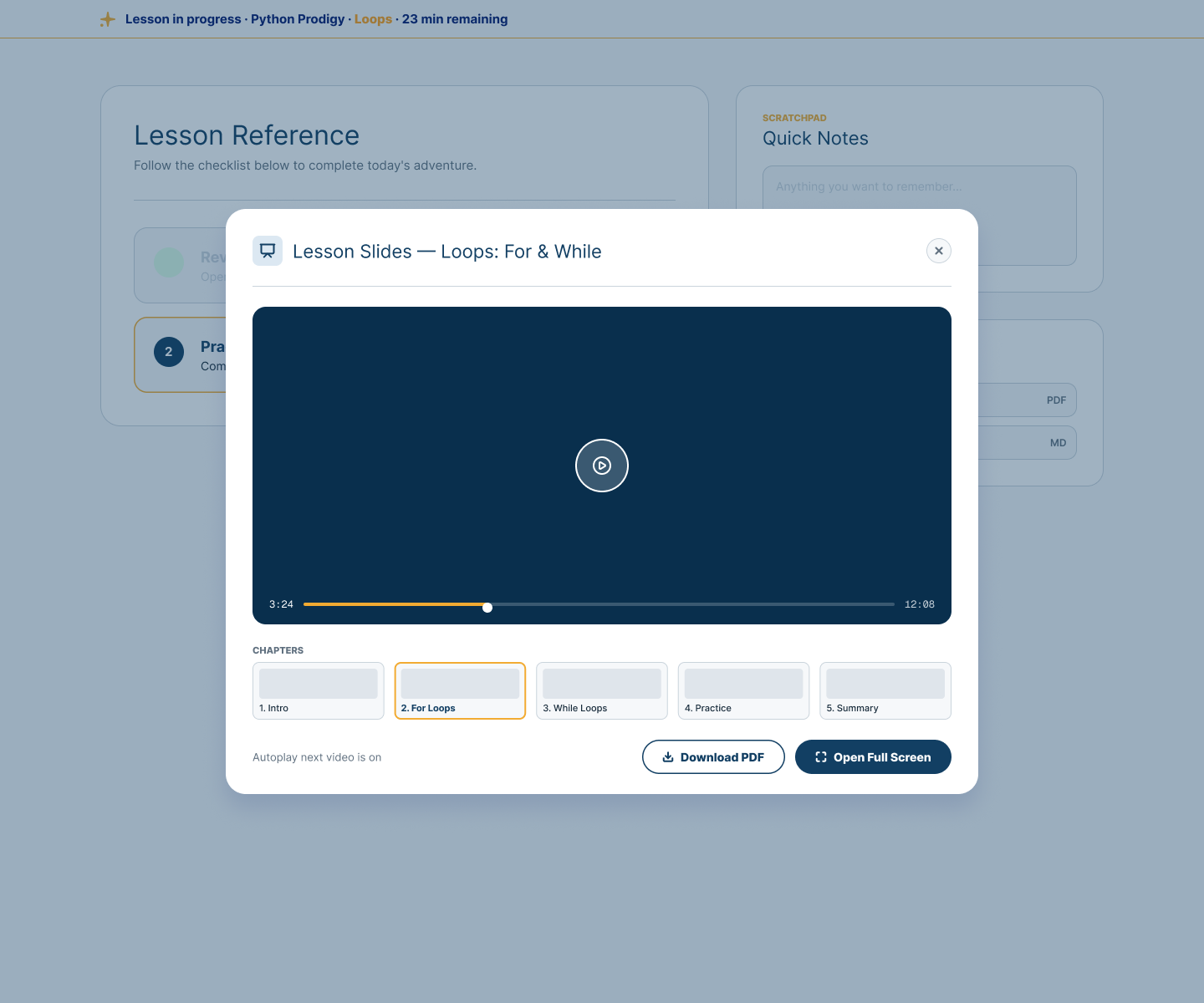
Lesson slides and video can open with chapter structure, progress, downloadable material, and full-screen viewing while the Student remains grounded in the current lesson.
The value is continuity and organization: the right material appears in the learning flow and the Student can return to the work with context intact.
Student reflection
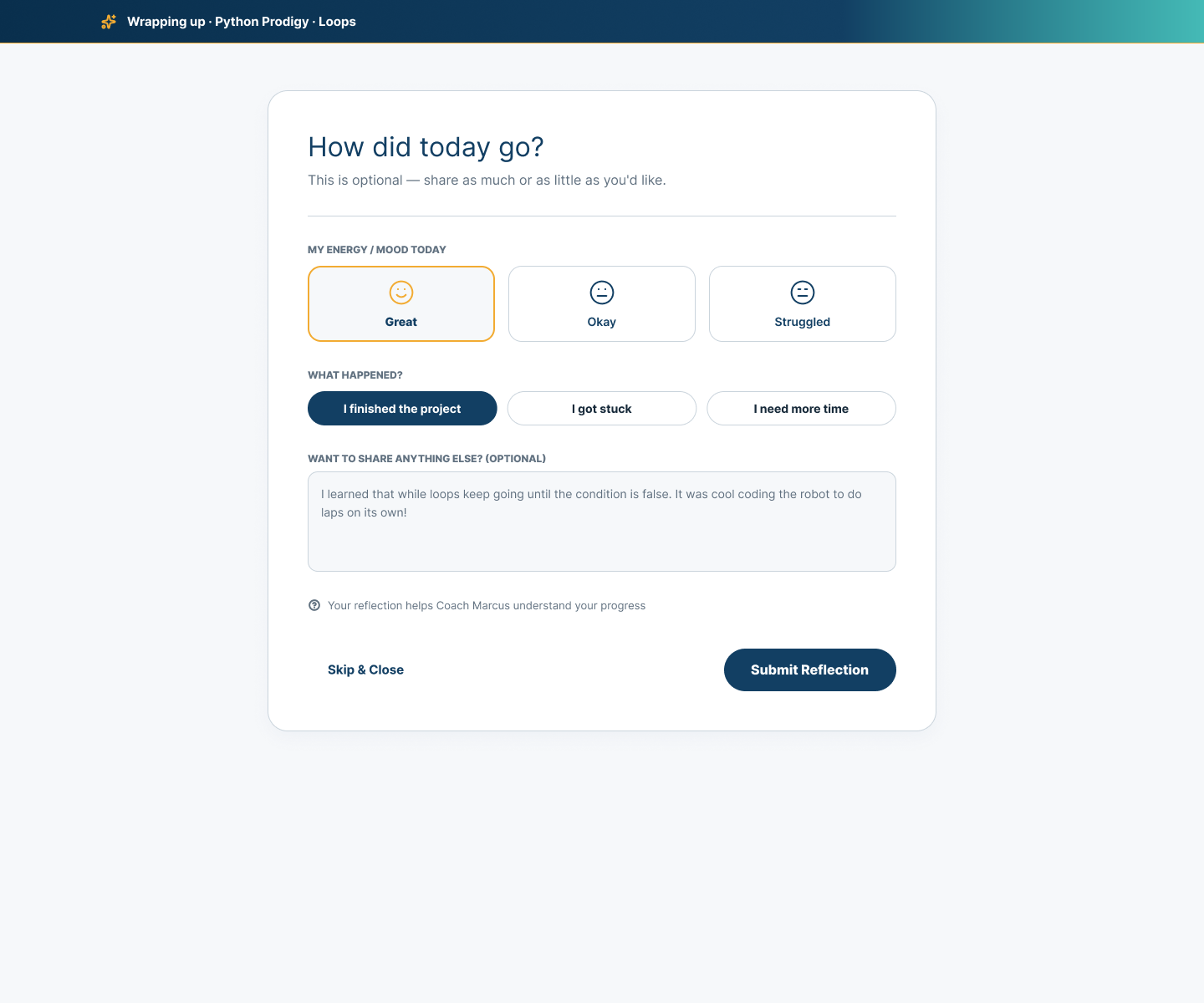
The Student can share how the lesson felt, whether they finished, got stuck, or need more time, and add an optional written reflection.
Their perspective becomes part of the learning record alongside Coach context. It is a voice in the story—not an assessment of mood or wellbeing.
Complete and continue
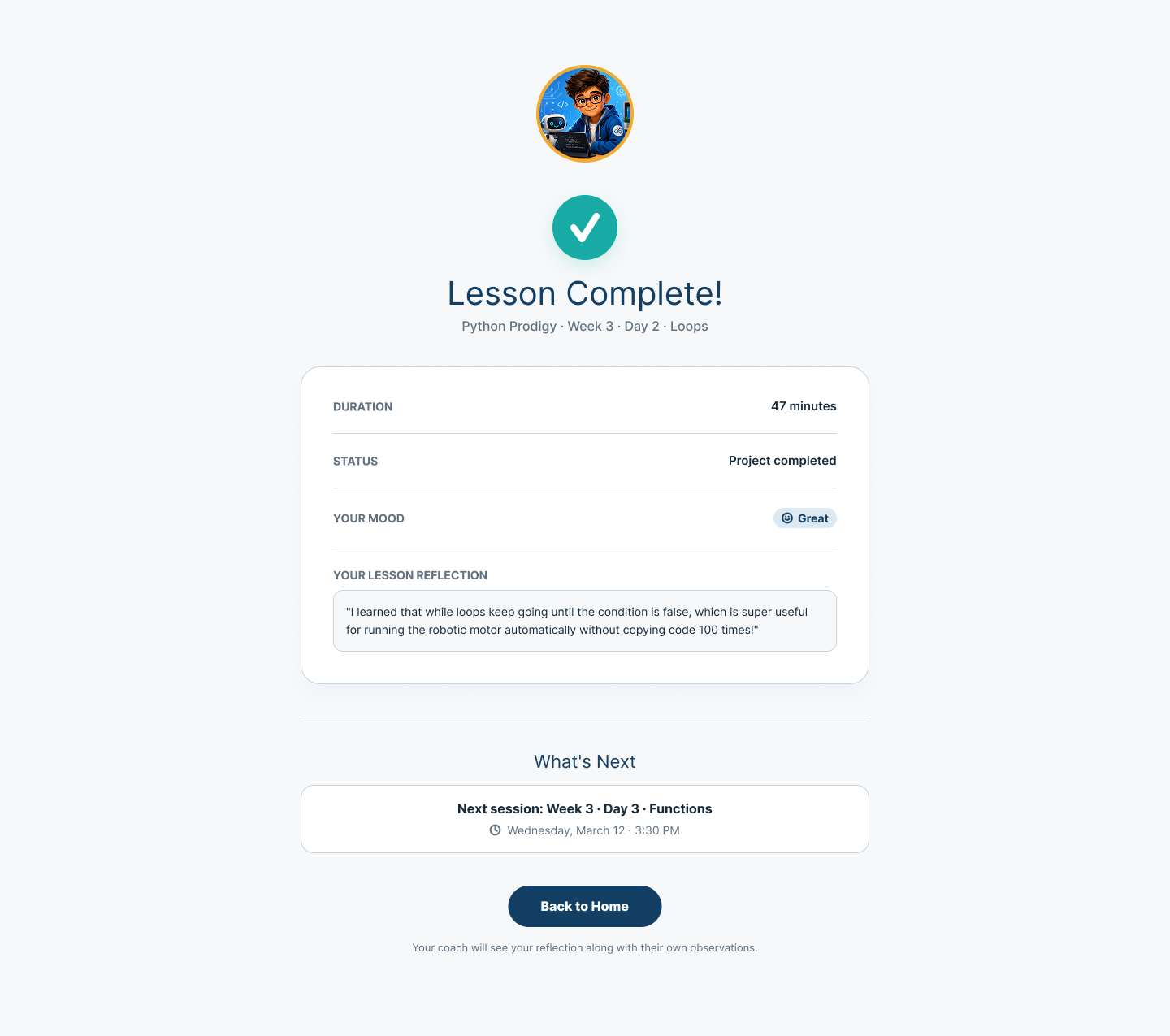
Completion keeps the lesson duration, status, and Student reflection together, then makes the next session visible. The Coach can see the Student’s reflection alongside their own observations.
Completion is not the end of the learning story. Continue returns to Prepare with the context of this lesson carried forward.
Follow one connected learning journey or talk with us about keeping every lesson in context.