 Learning
 Built for operators and managers
Run the operation without losing sight of the learning.
A Center has to coordinate classes, Coaches, Students, schedules, communication, reporting, and day-to-day changes. Cognit keeps those responsibilities connected so operators can see what needs attention without losing the learning context underneath the operation.
Today’s classes
Know what needs your attention today.
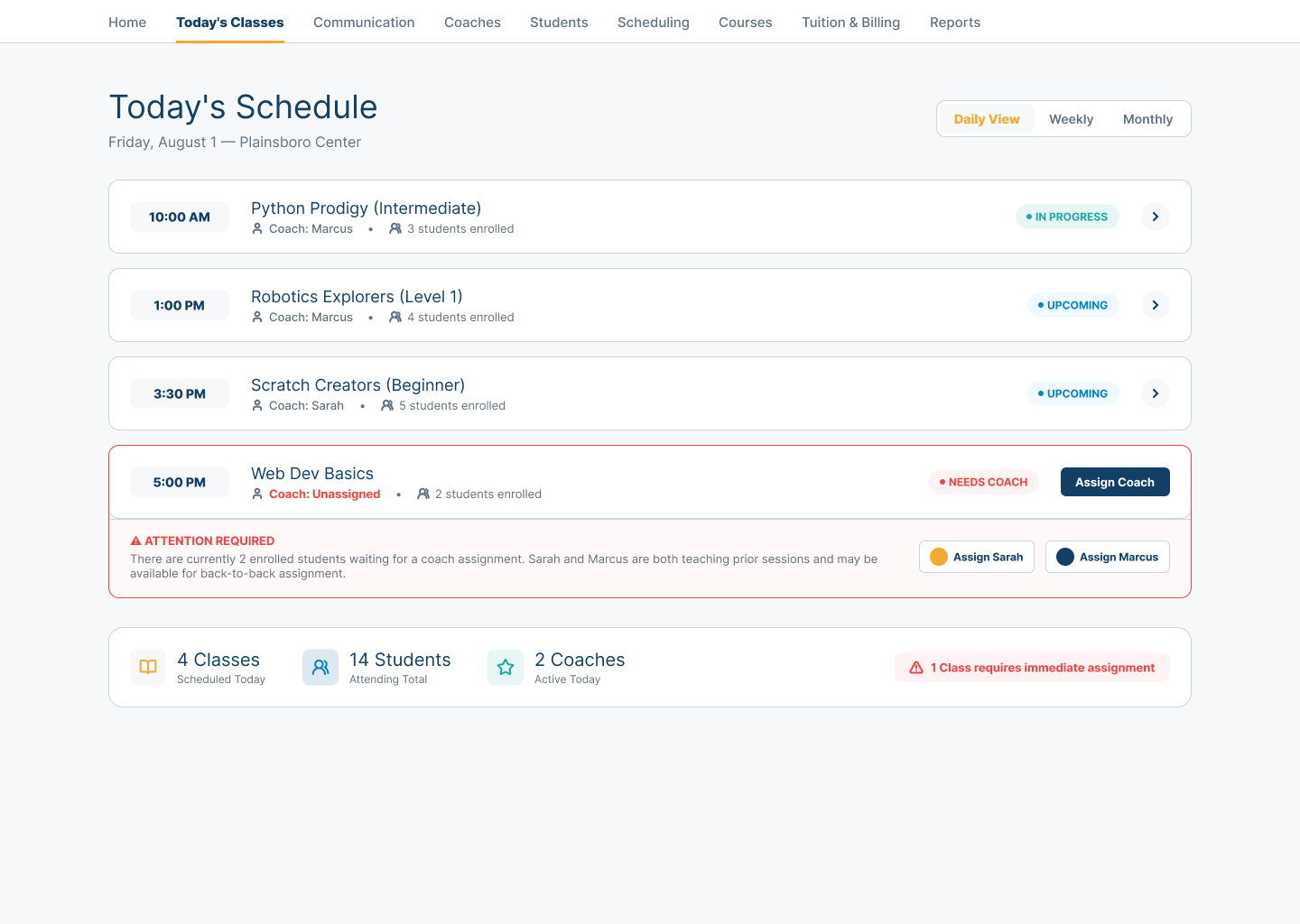
The daily view brings class timing, Coach assignments, enrollment, and active or upcoming states into one operating picture. A missing Coach assignment surfaces beside the class it affects, with the surrounding context needed to respond.
Routine work stays quiet. The exception that could interrupt learning gets the attention.
Daily readiness
See the whole day before it becomes a problem.
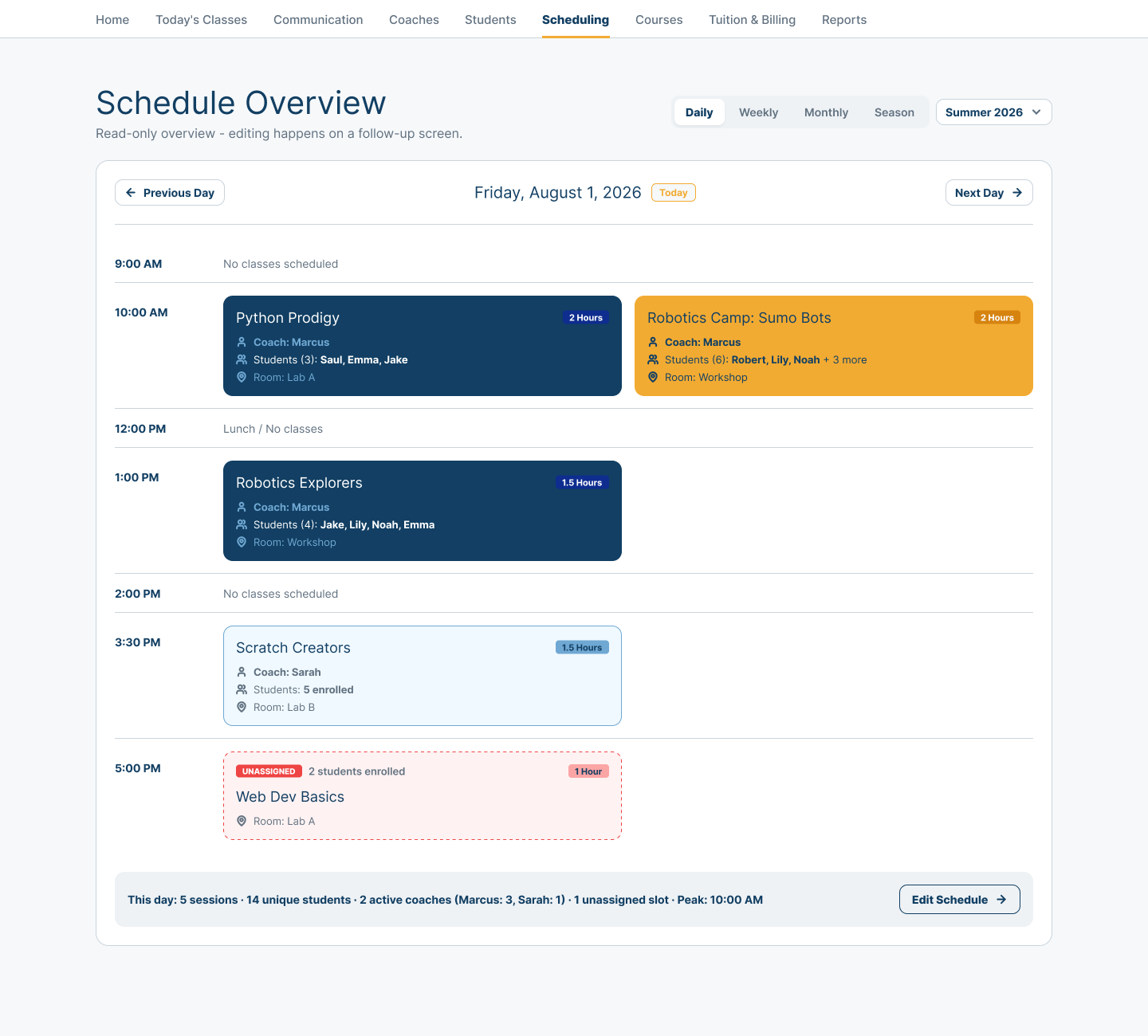
The schedule connects time, rooms, Coaches, Students, duration, and concurrent classes. Unassigned space in the day remains visible in the same context as the sessions already ready to run.
This is not just a calendar. It is a Center-level view of whether the learning day is prepared.
Coach context
Put the right people around the learning.
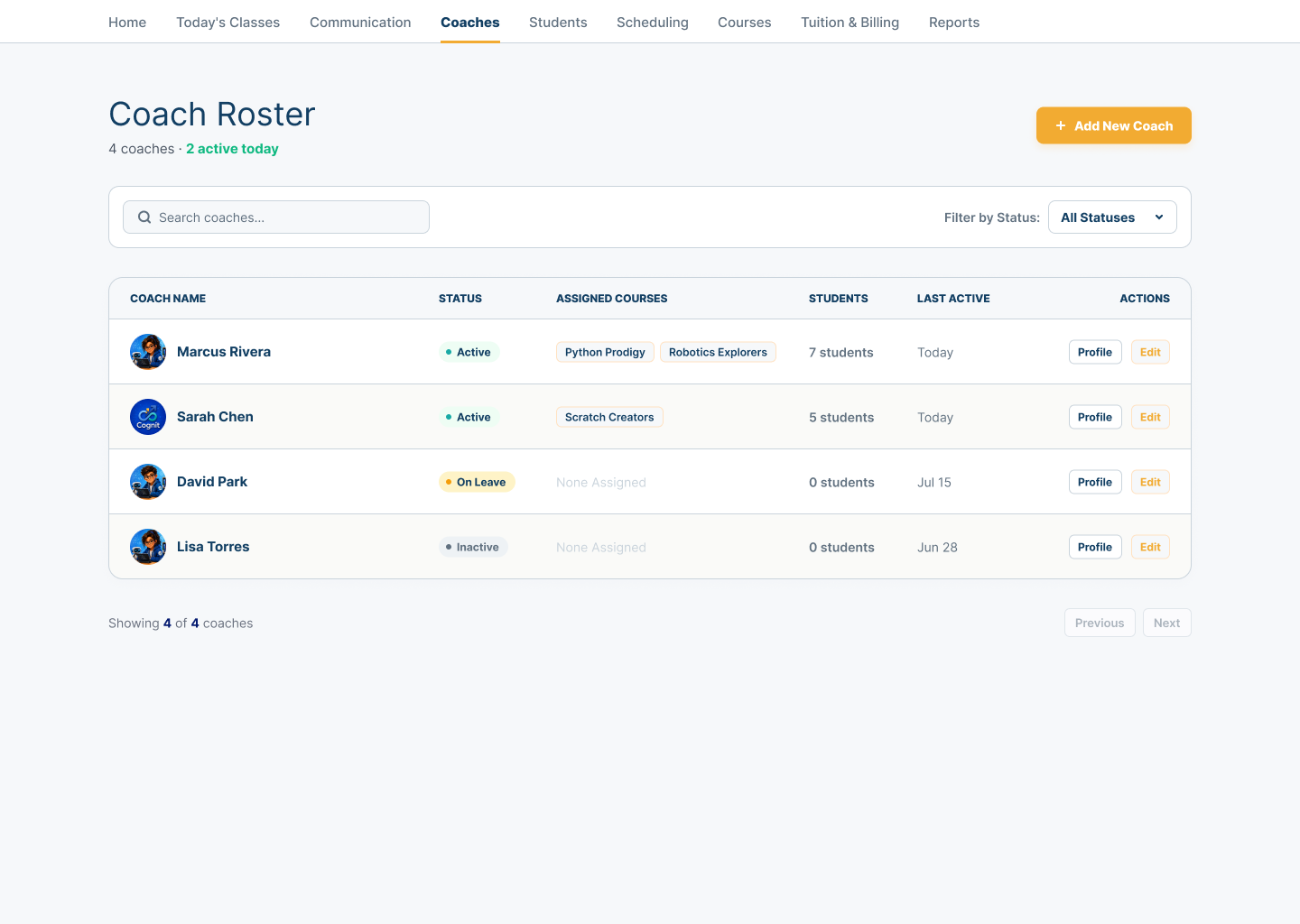
The Coach roster connects availability, assigned courses, Student load, and current status. Center operators can understand instructional readiness without reducing Coaches to an HR list.
Active, leave, and inactive states help explain who can support today’s learning and where assignment context may need review.
Student connections
Keep every Student connected to a class, Coach, and Family.
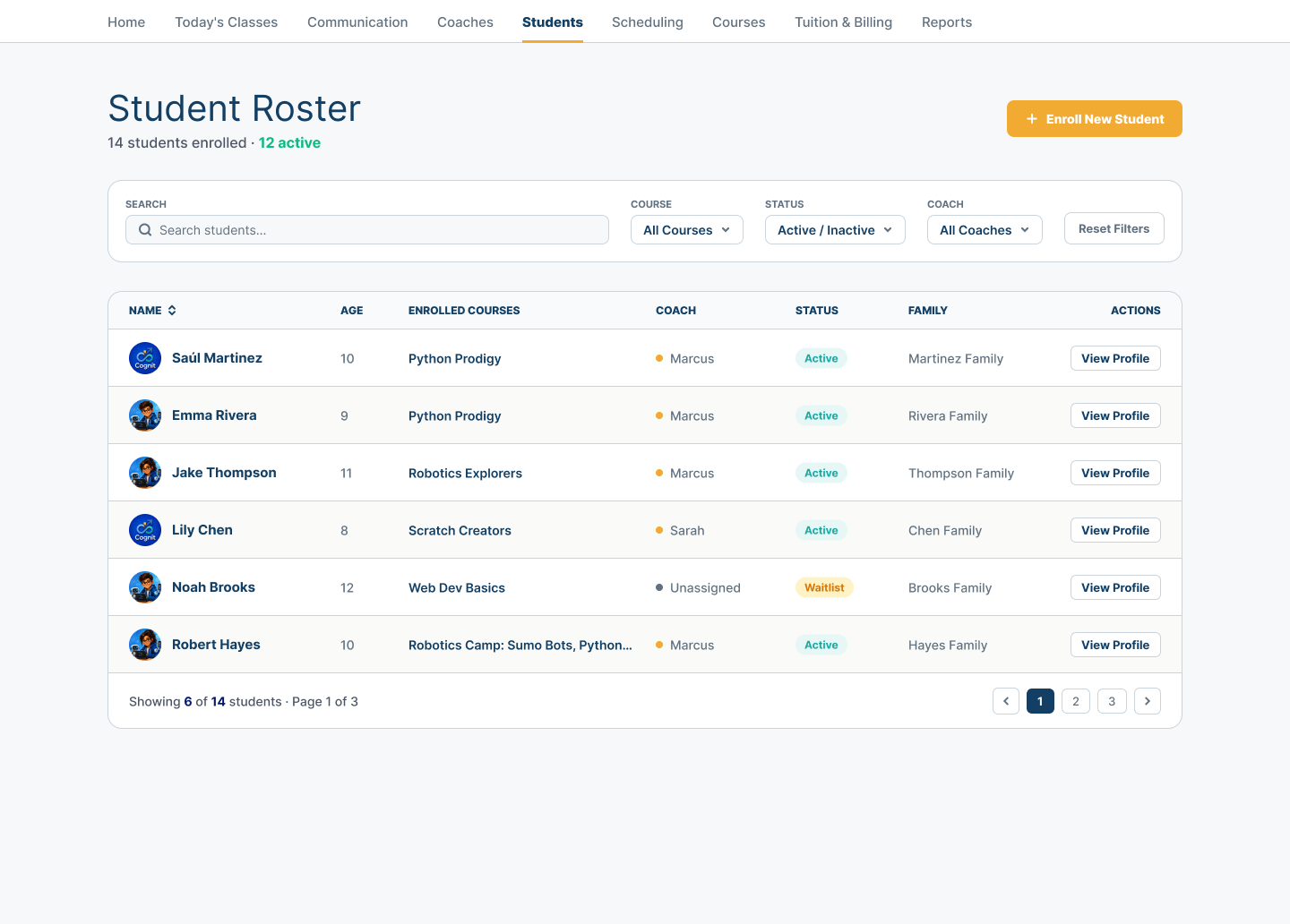
The Student roster keeps enrollment, course, Coach, status, and Family relationships together. Operators can find the right profile without treating the Student as an isolated record.
Active and waitlist context makes the relationship around each Student visible where Center decisions are made.
Living learning programs
Run courses as living learning programs, not static listings.
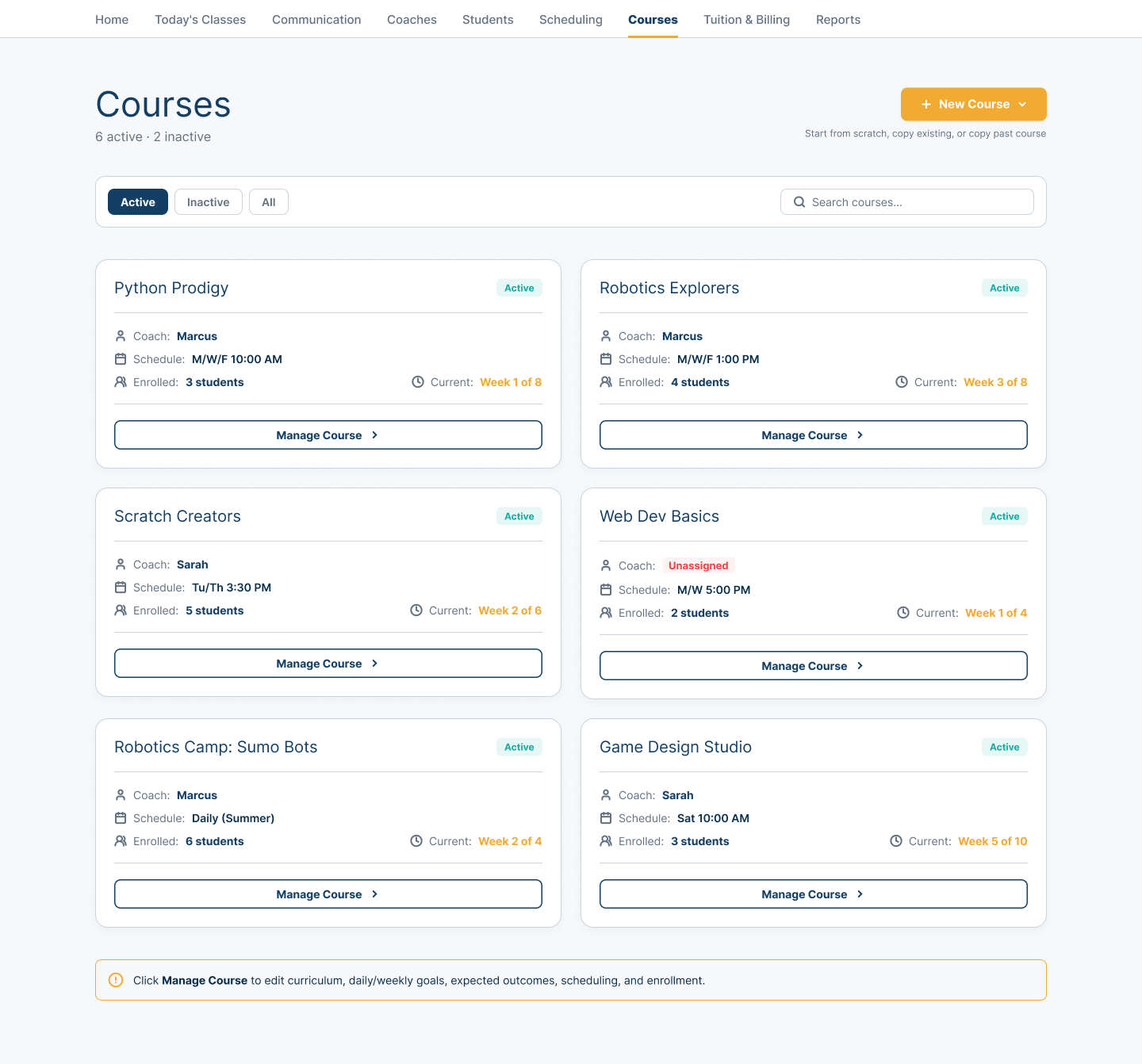
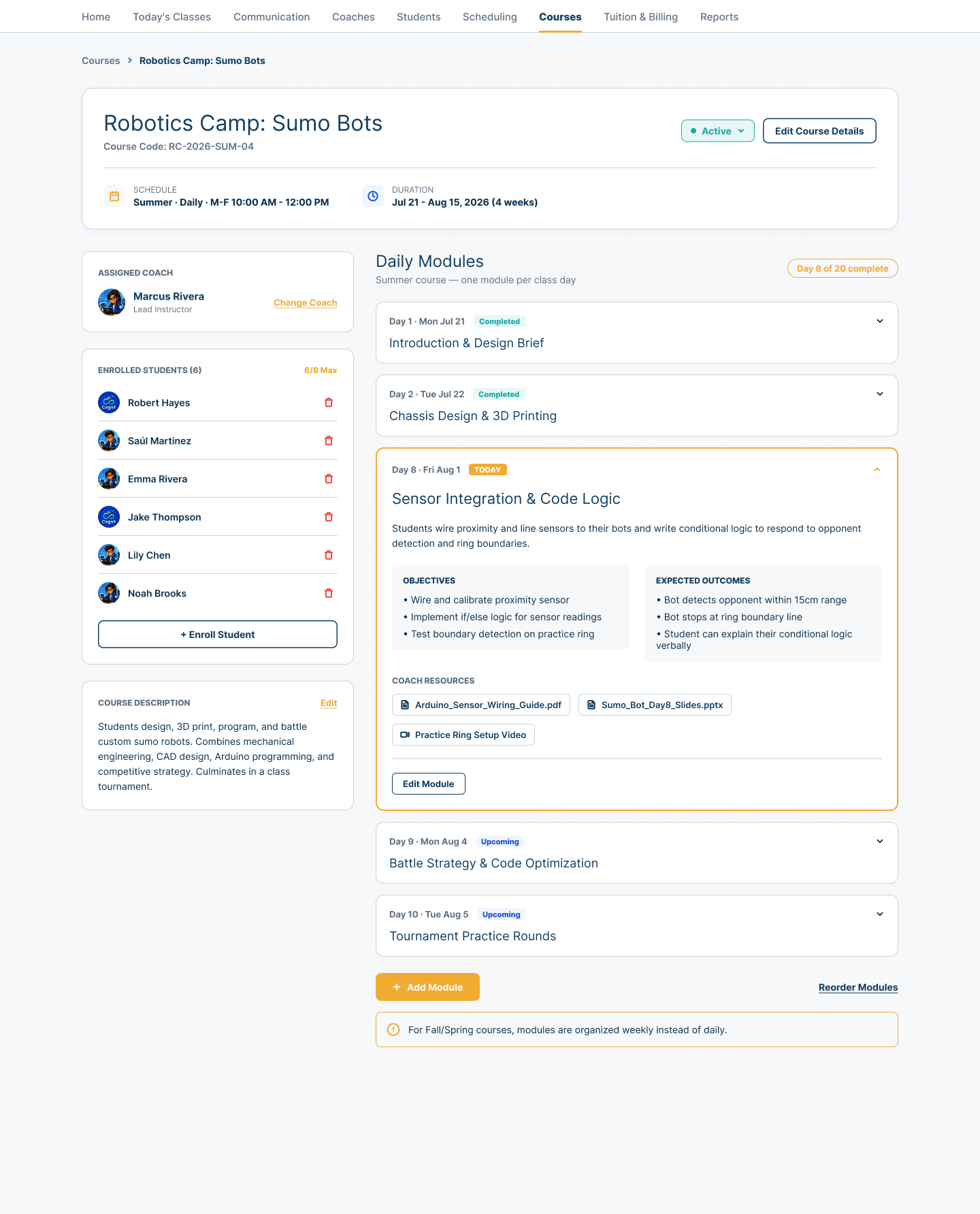
A course list connects status, Coach assignment, schedule, enrollment, and current progression. The course detail then opens the learning structure underneath: duration, enrolled Students, daily modules, objectives, expected outcomes, and Coach resources.
Center operators can move from the operating overview into the content and people that make the course real.
Attendance by exception
Attendance stays quiet until something needs a decision.
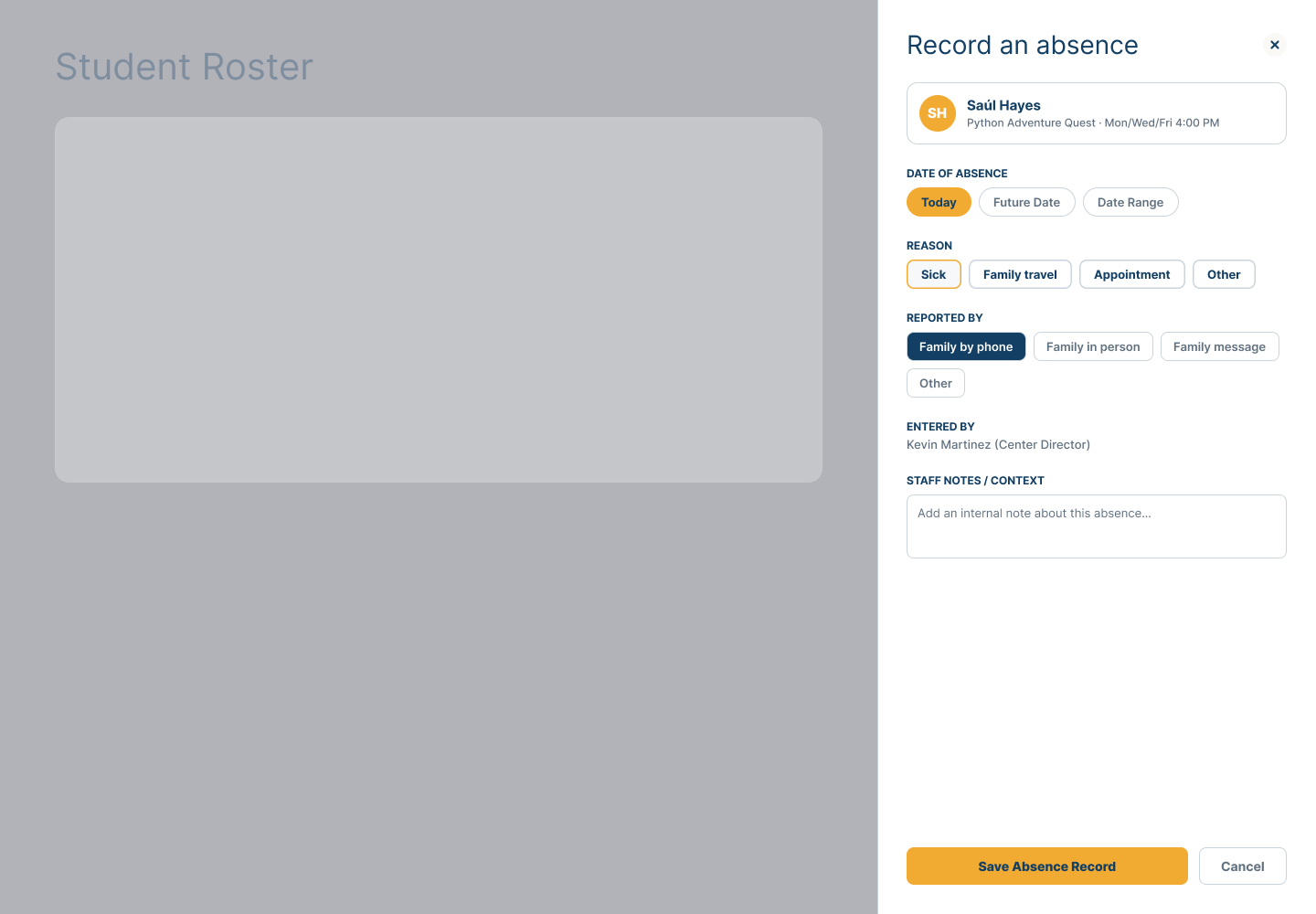
An absence can retain who reported it, when it applies, the reason, and staff context. Today, a future date, or a date range can be handled with a clear human confirmation step.
The exception becomes an understandable operating record instead of a detached status change.
Consequential change
Handle operational changes with the consequences already visible.
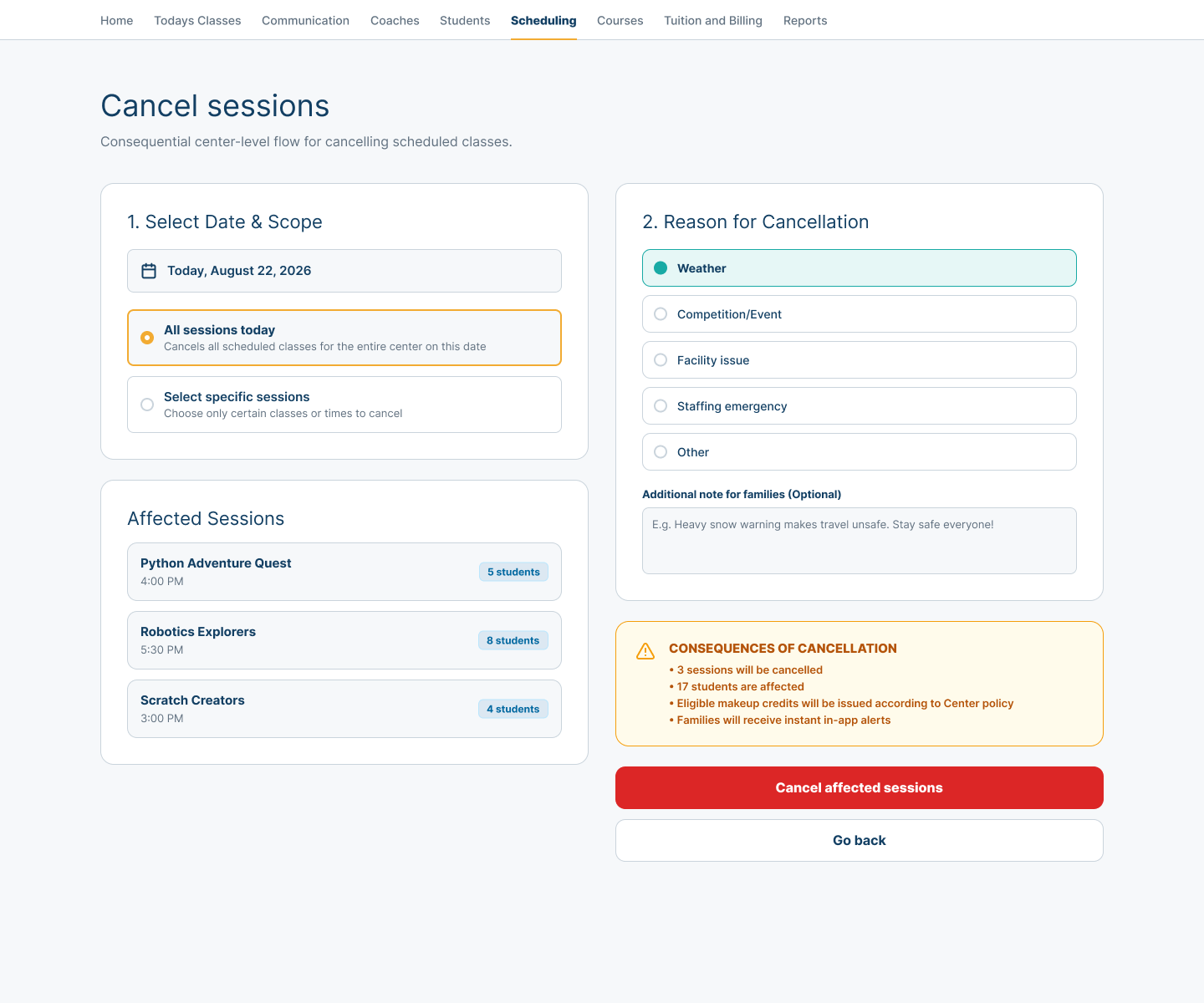
Before sessions are cancelled, the Center can see the selected scope, affected classes and Students, the reason, the Family note, and the downstream consequences of the decision.
Actions should show what they will change before an operator commits them.
Connected communication
Keep communication in the same operating context.
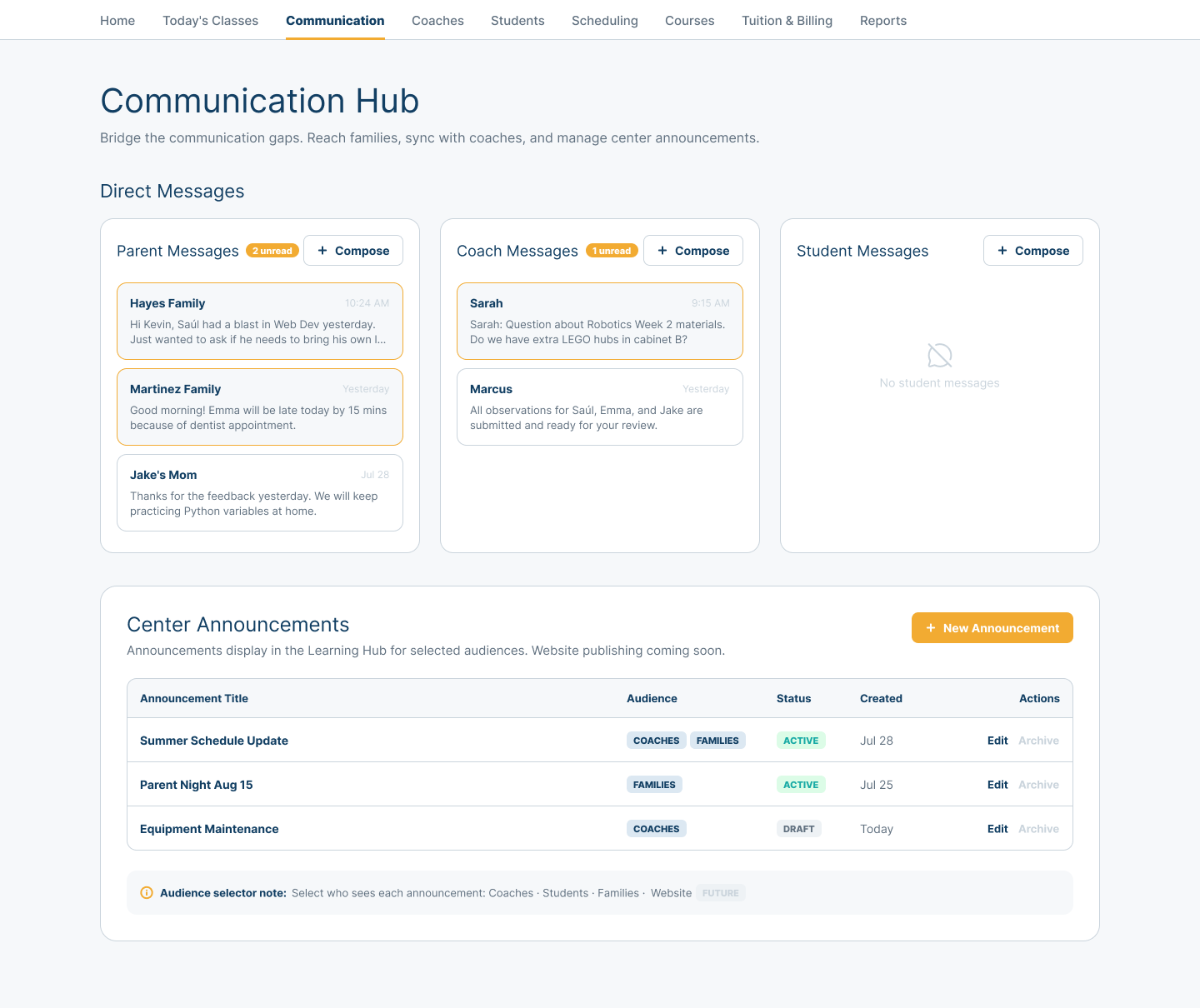
Family, Coach, and Student messages sit beside Center announcements and audience selection. A staffing question, learning update, or schedule notice remains connected to the people and work it affects.
The evidence demonstrates in-product communication context; it does not claim unsupported delivery channels.
Report readiness
Know what is ready for review and what still needs attention.
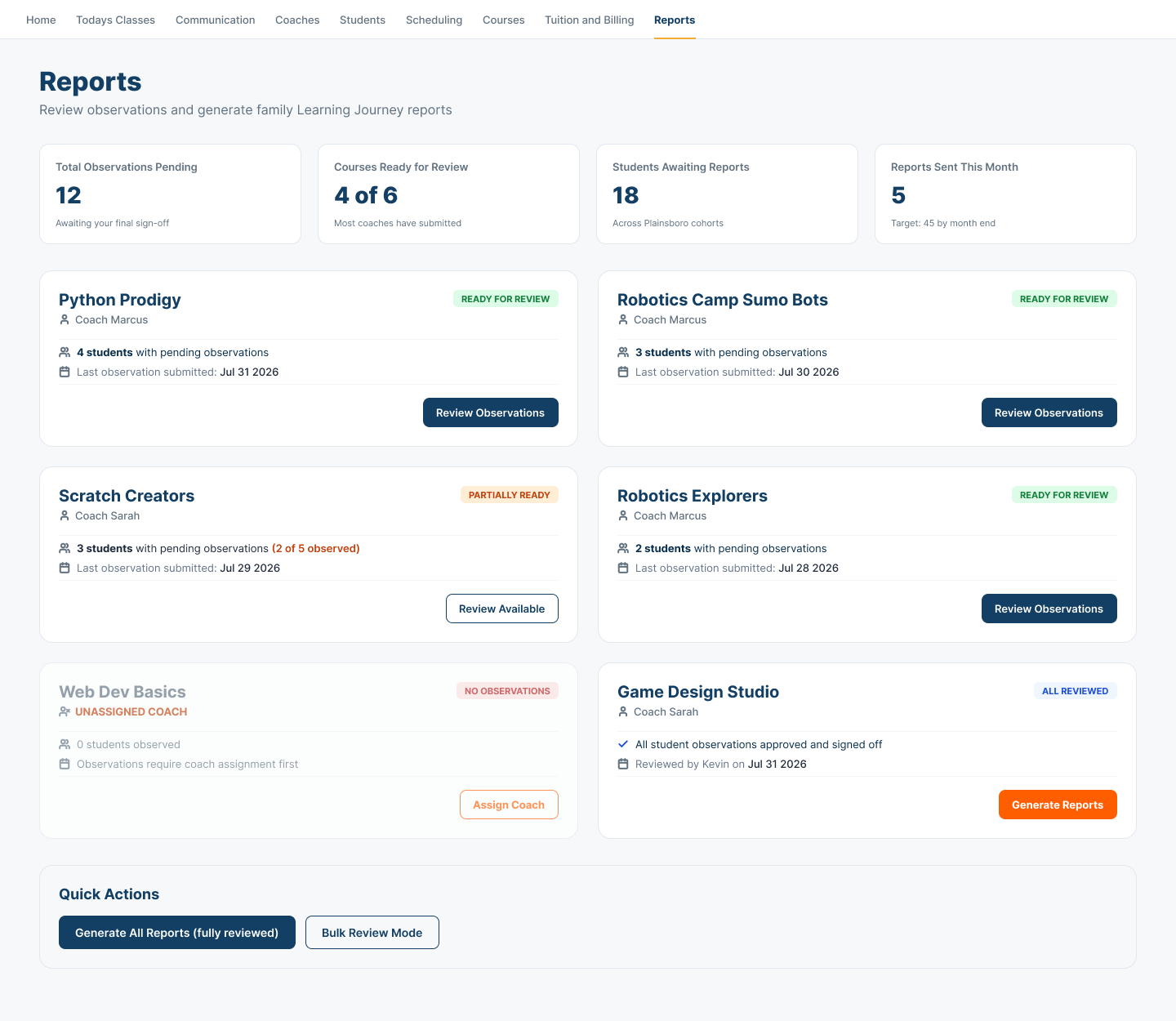
Courses can show ready, partially ready, no-observation, and reviewed states beside the Coach and Student context behind each report.
Completed work stays quiet while missing assignments and partial readiness surface for a Center decision.
Evidence stewardship
Review the learning evidence before it becomes the story.
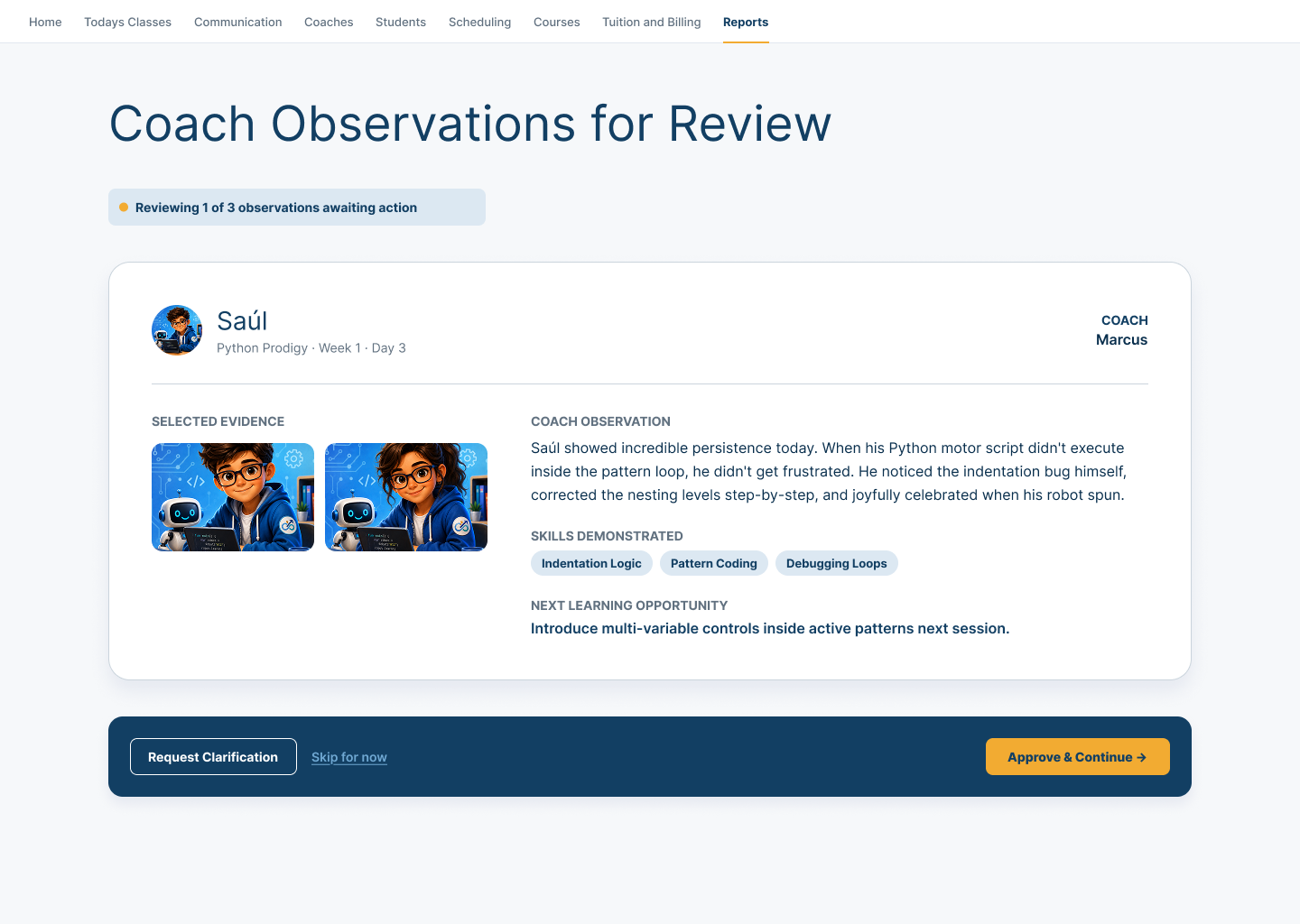
The Center can review selected evidence, the Coach observation, demonstrated skills, and the next learning opportunity, then request clarification or approve the observation.
The Coach captures the learning moment. The Center stewards what is ready to move into the Family-facing story.
Family learning story
Turn reviewed evidence into a clear Family update.
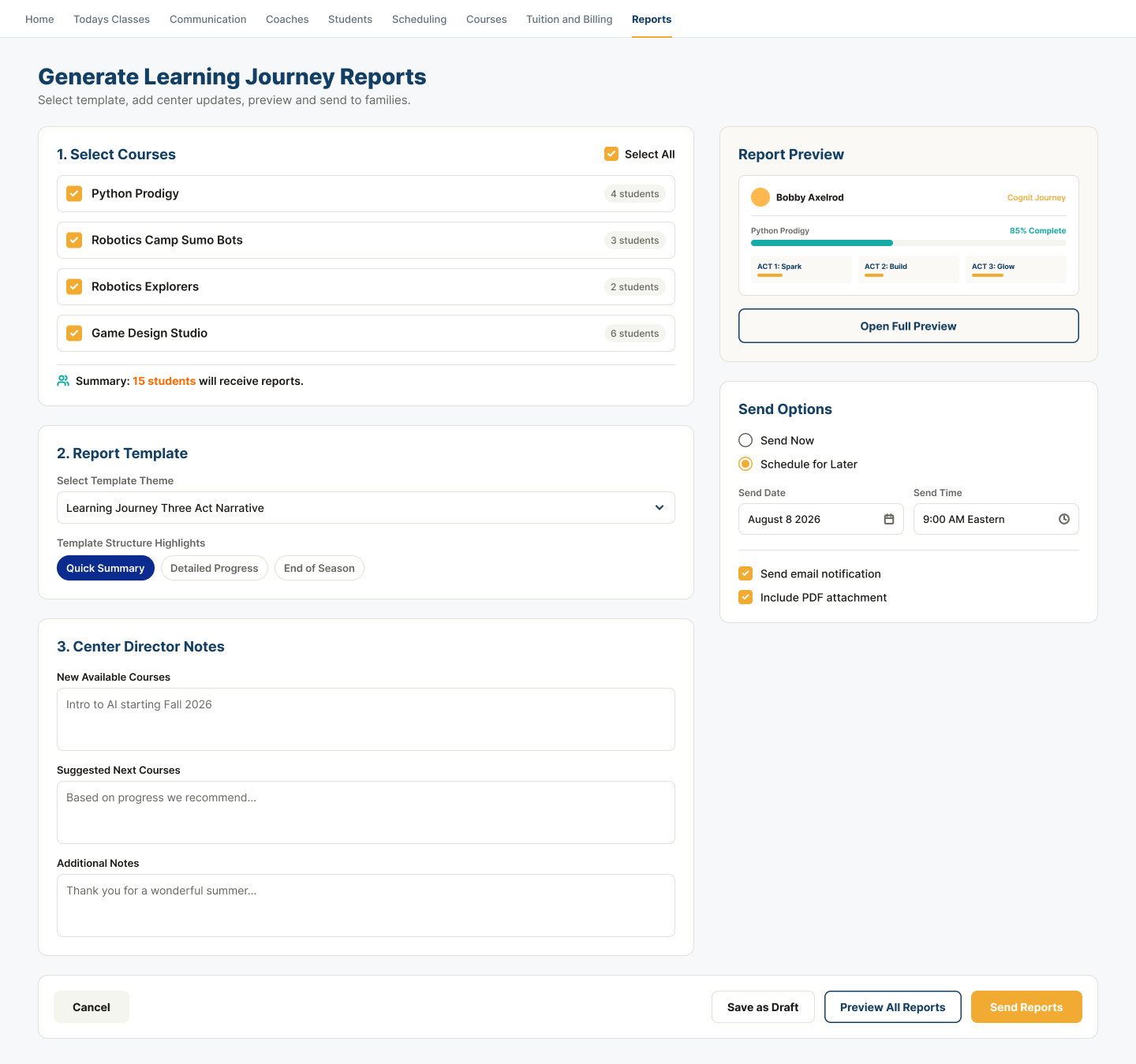
Report preparation connects course selection, a preview, template choice, Center Director notes, next-course suggestions, timing, and delivery options.
Fixture suggestions and counts illustrate the workflow; they are not claims of automated recommendations or customer-scale results.
Operational fit
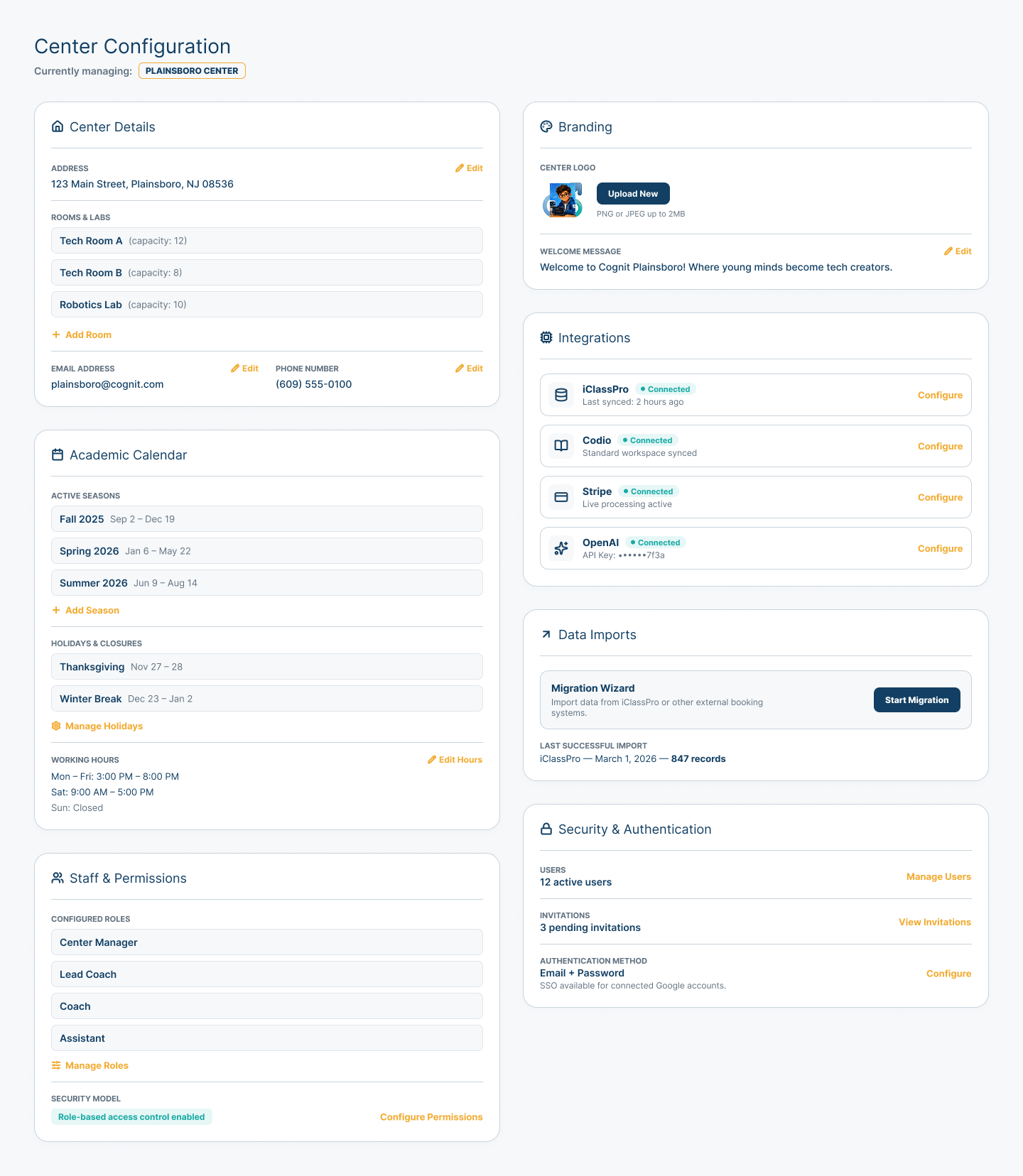
Configure the Center around the way it actually operates.
Center details, rooms, academic calendar, working hours, roles, branding, connection settings, data imports, and authentication can remain visible in one configuration context.
This is buyer-oriented evidence of operational fit—not a universal integration, security, or compliance claim.
Guided setup
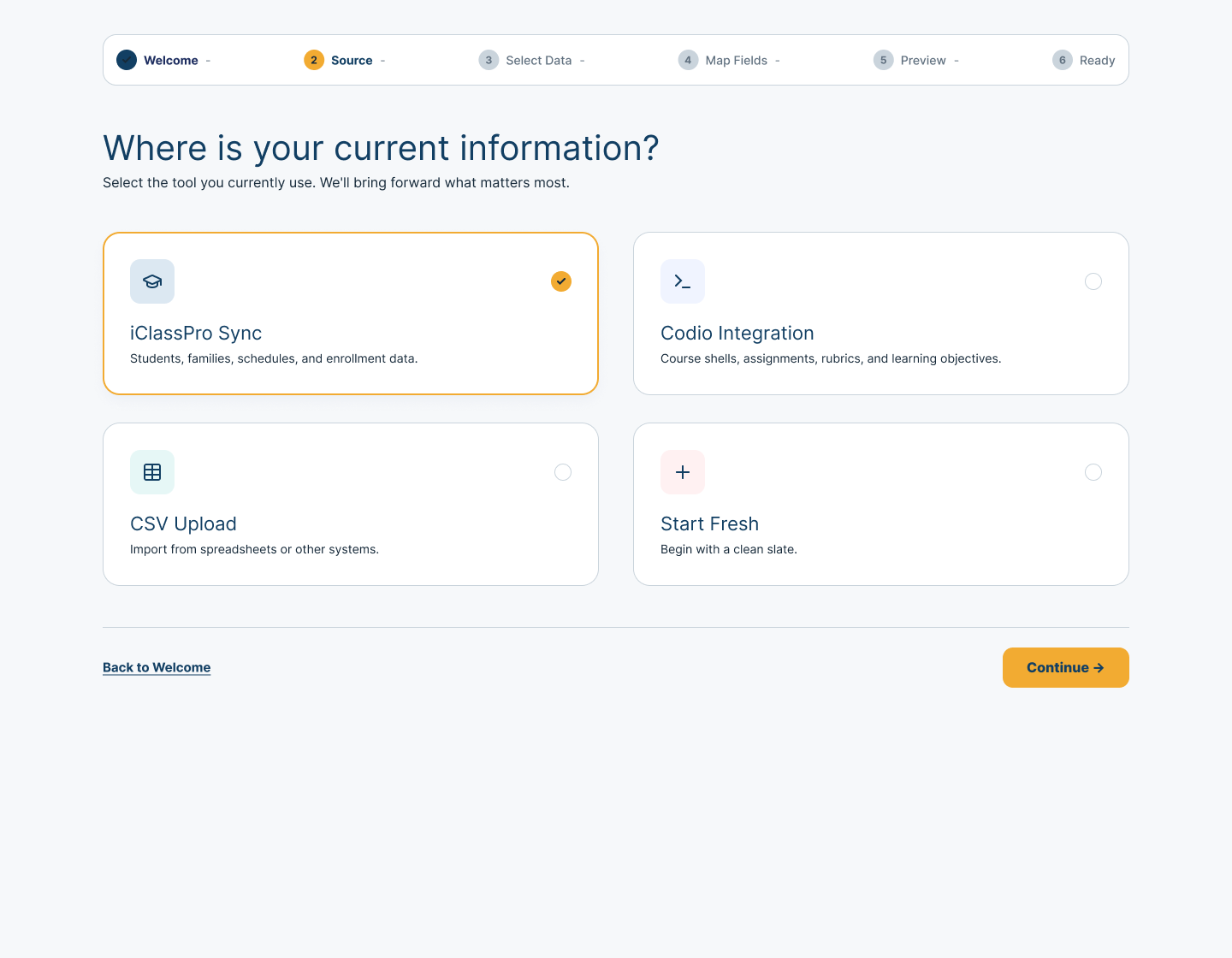
Bring forward what already matters.
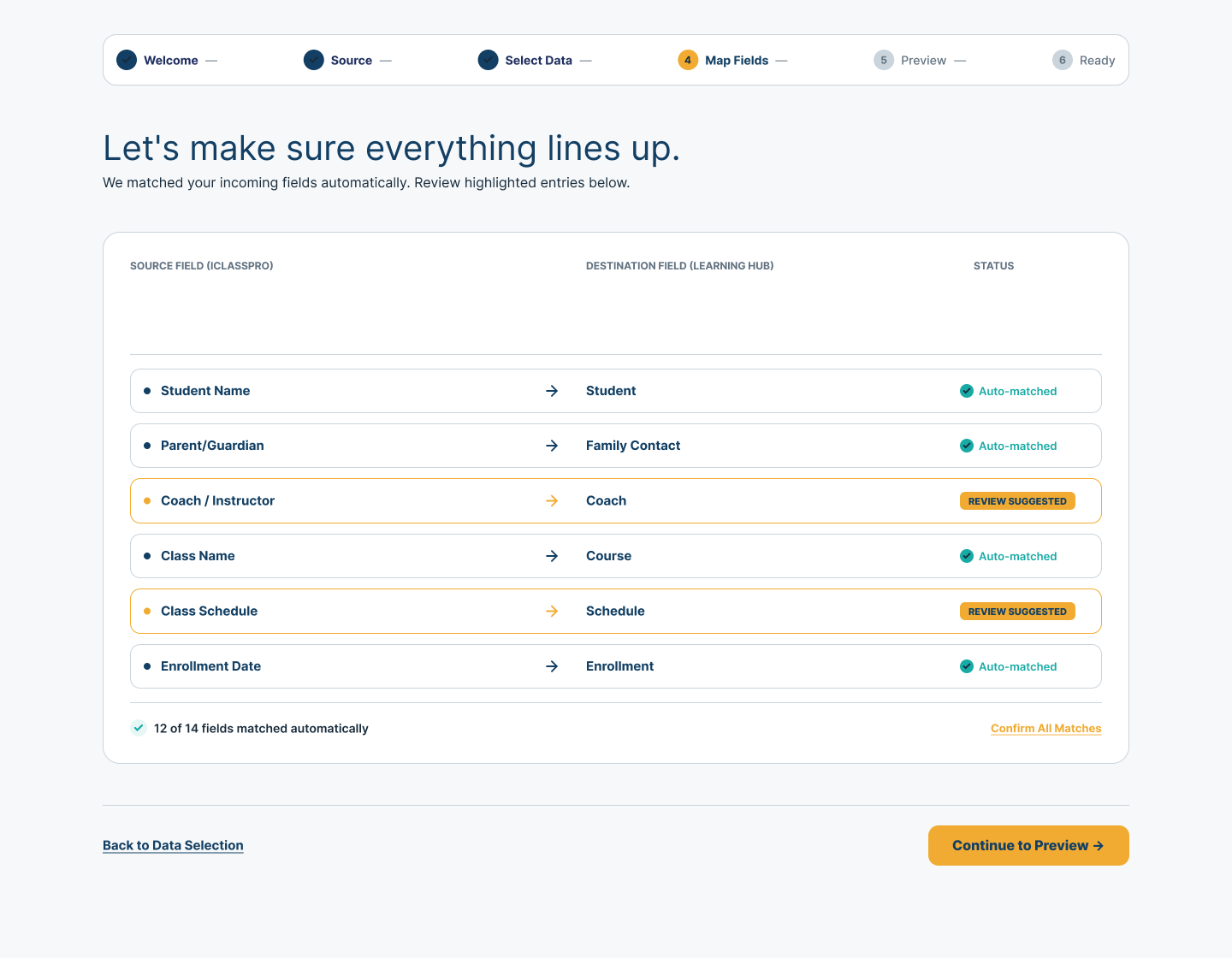
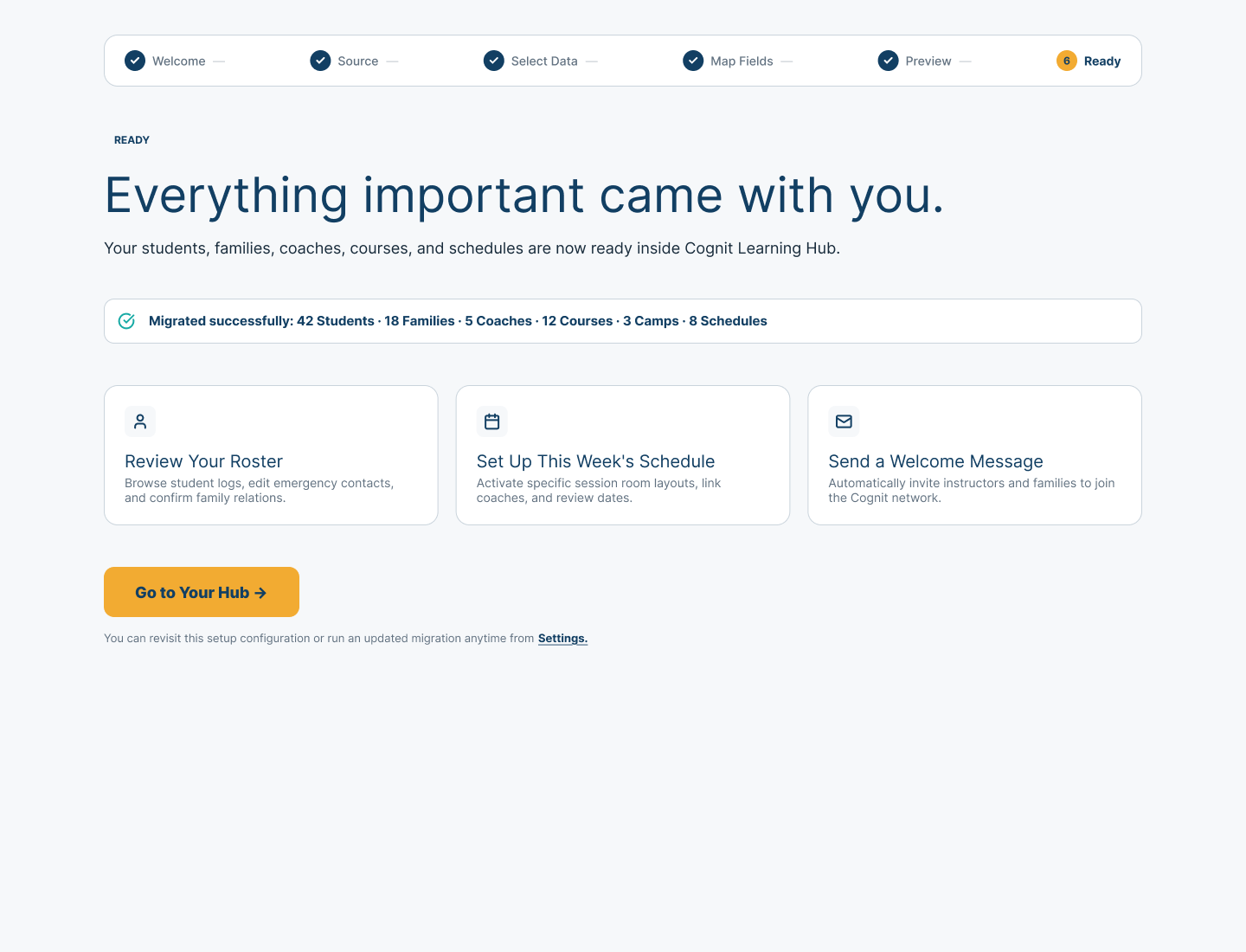
A compact setup path can help a Center choose a current source, review how incoming fields line up, and reach a ready state with the important operating relationships visible.
The screens show an accepted Demo flow. They do not establish universal integrations, automatic mapping accuracy, instant syncing, or regulatory certification.
Ready to see how Cognit works for your Center?
Explore the Center experience or talk with us about keeping one learning operation connected.