 Learning
 Built around the Family experience
Stay close to the learning, even when you’re not there.
Cognit gives Families one place to understand progress, see what changed, communicate with Coaches and the Center, report absences, manage tuition, and keep the next class in view.
A useful starting point
See each child’s learning in one place.
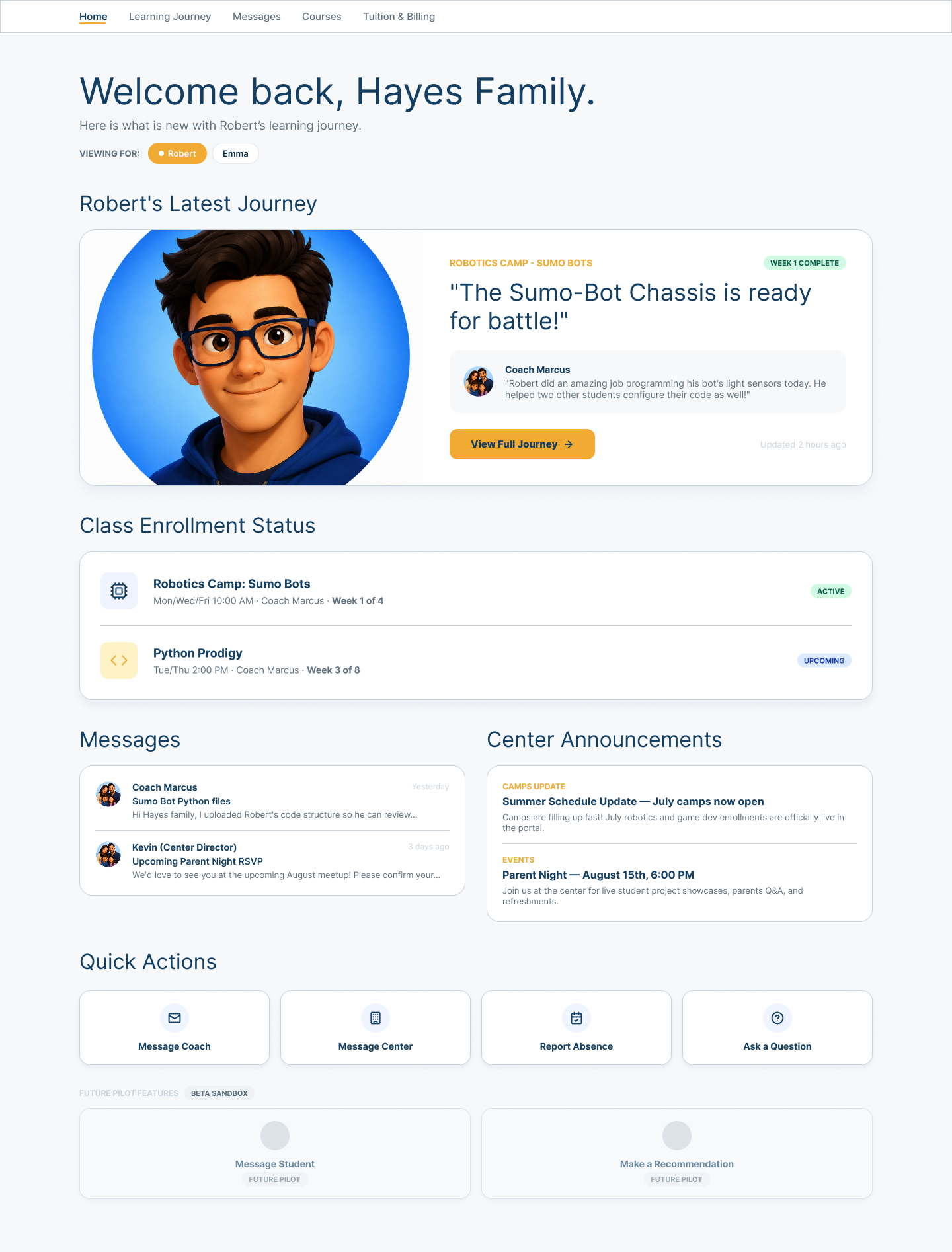
Family Home brings together the latest learning story, active and upcoming enrollment, Coach messages, Center announcements, and the actions a Family may need next.
Families can move between children without reconstructing context from separate systems. What changed and what comes next stay connected to the child they are supporting.
The learning story
See the story, not just the status.
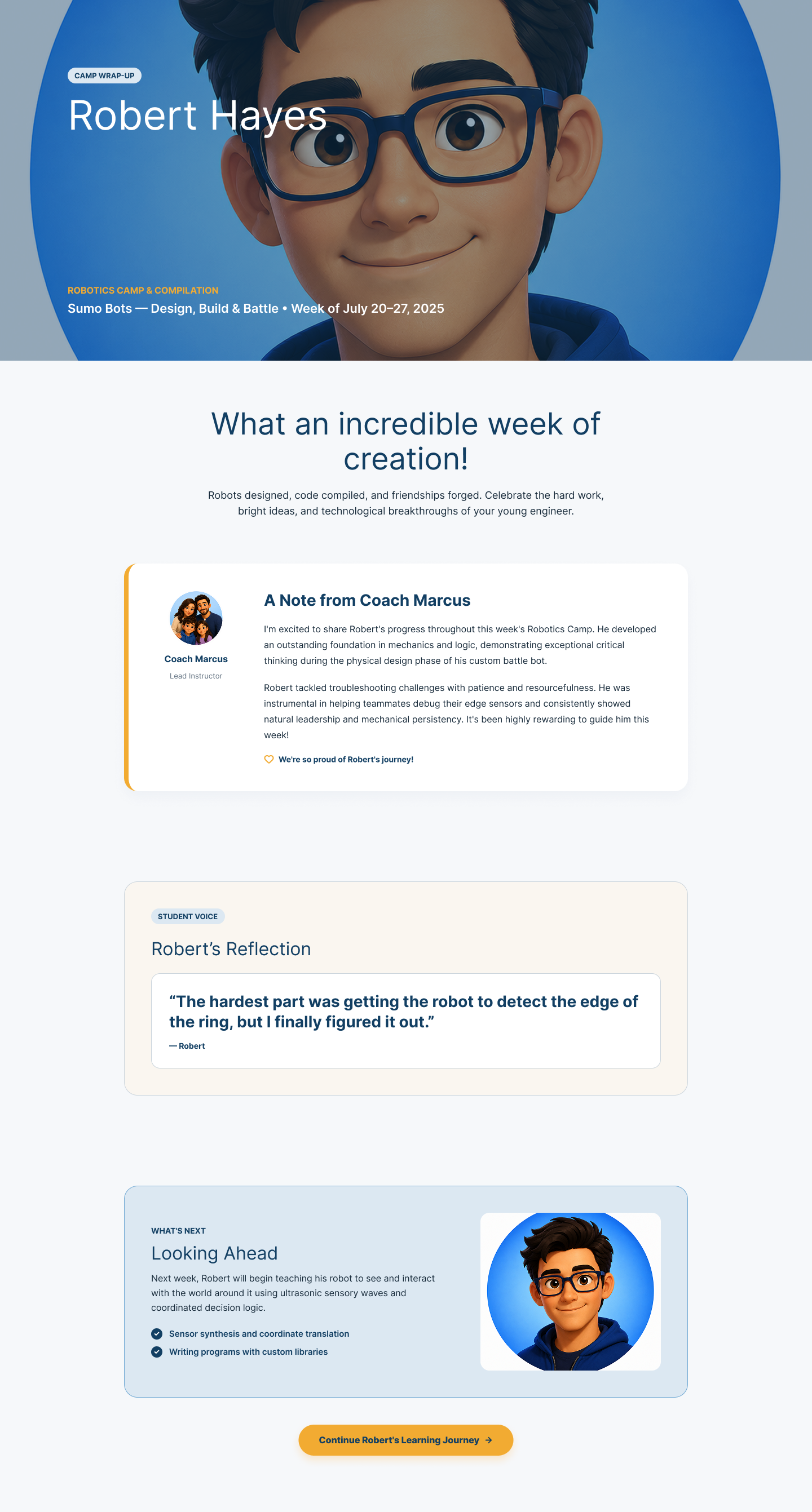
A Learning Journey can connect a Coach-written summary, the Student’s reflection, meaningful accomplishments, and the next learning opportunity in one readable story.
Families see evidence and context around progress—not only a percentage or completion state. The example is illustrative product evidence, not a claim about a real Student outcome.
Communication with context
Keep Coach and Center communication in one place.
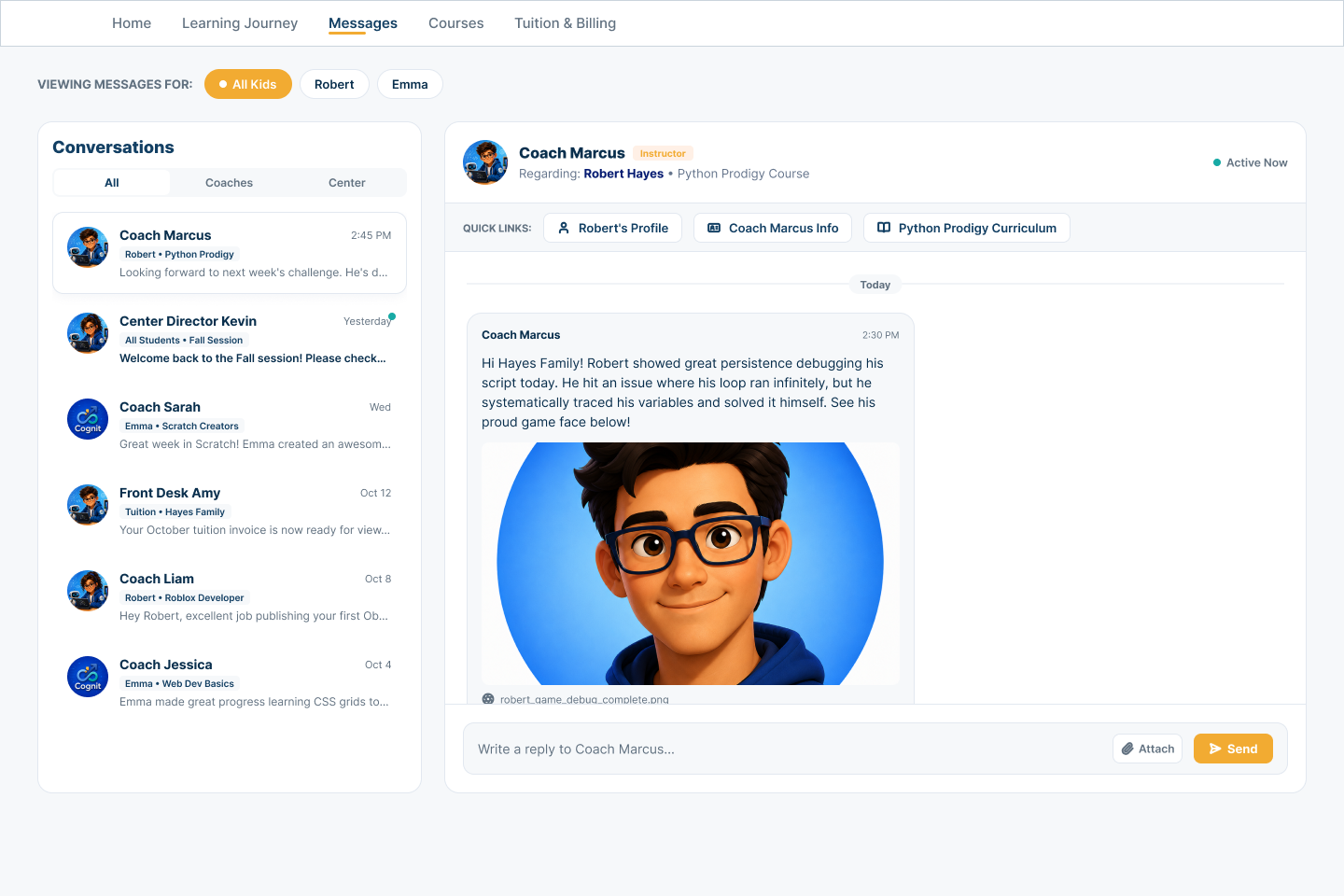
Conversation history can stay organized by child, Coach, Center, and course. Relevant Student and course links keep the learning context close to the message.
The value is more than an inbox: Families can understand who the conversation concerns, what learning it relates to, and where to continue the discussion.
Attendance continuity
Report an absence and keep the next step clear.
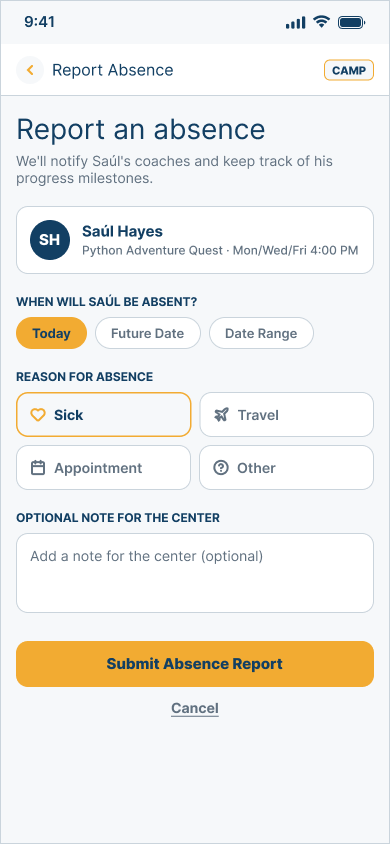
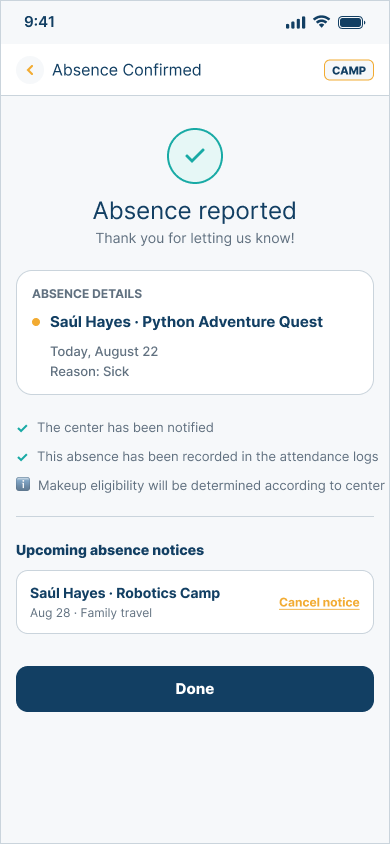
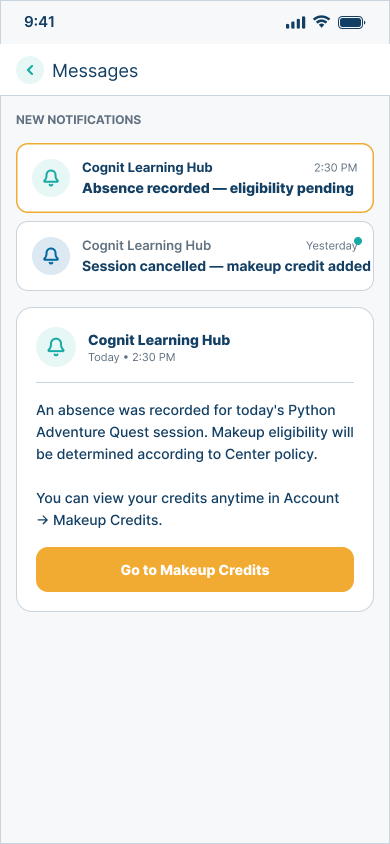
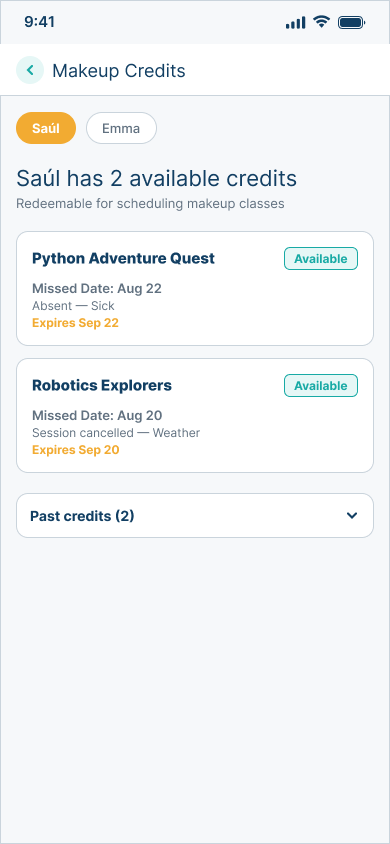
A Family can report an absence, receive confirmation, see the related notification, and understand whether a makeup credit becomes available under Center policy.
-
01Report -
02Confirm -
03Notify -
04Follow up
Eligibility stays policy-dependent. The evidence shows the status and next step without promising that every absence creates a credit.
Course discovery
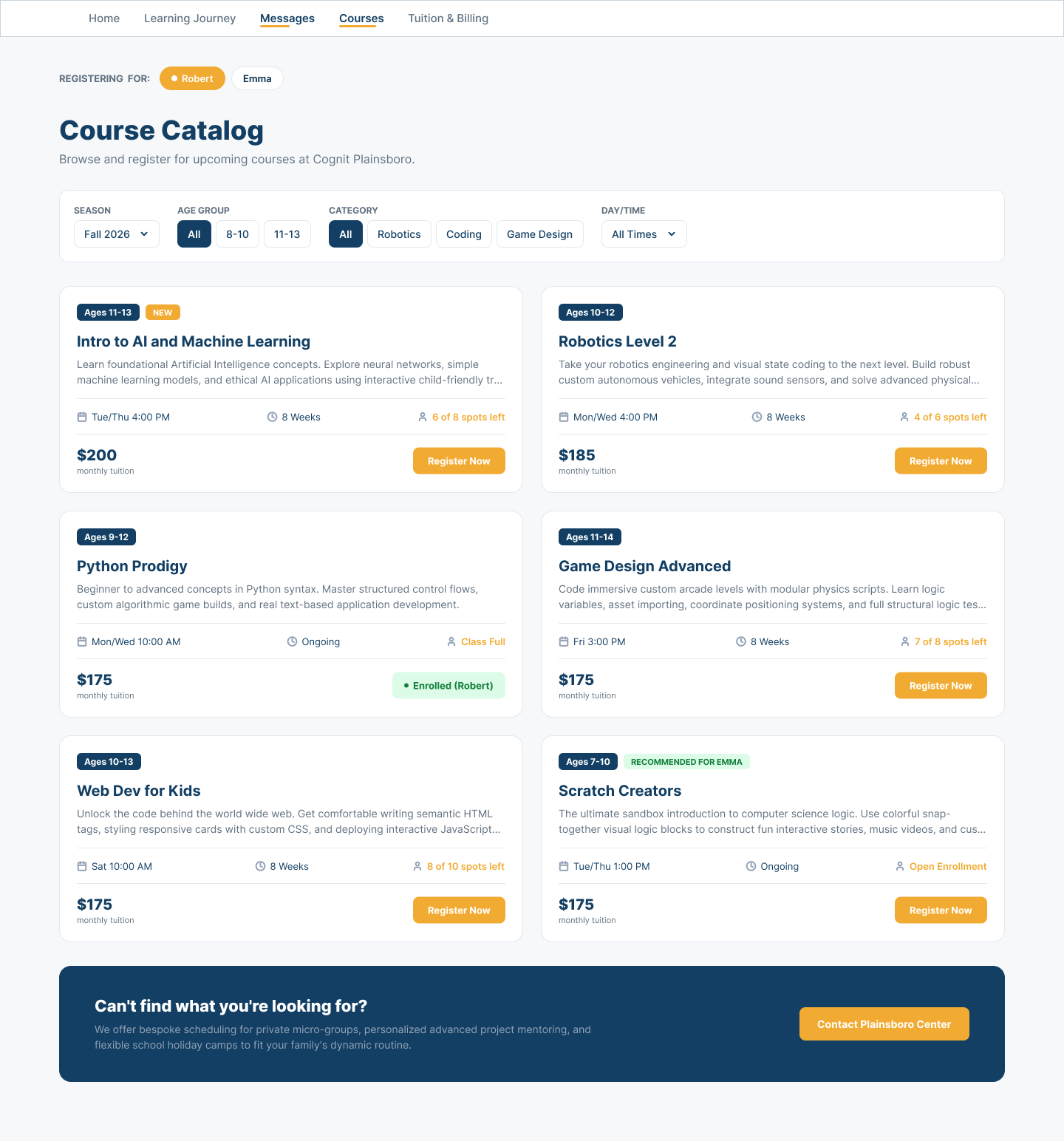
Browse what comes next for each child.
Families can explore Center offerings with child, season, age, category, and schedule context. Course descriptions, availability, schedule, and tuition can support an informed registration decision.
This is a view into offerings available through the Family’s Center—not a public marketplace. Prices, dates, enrollment, and seat availability shown in the example are fixture data.
Tuition and records
Manage tuition without leaving the Family view.
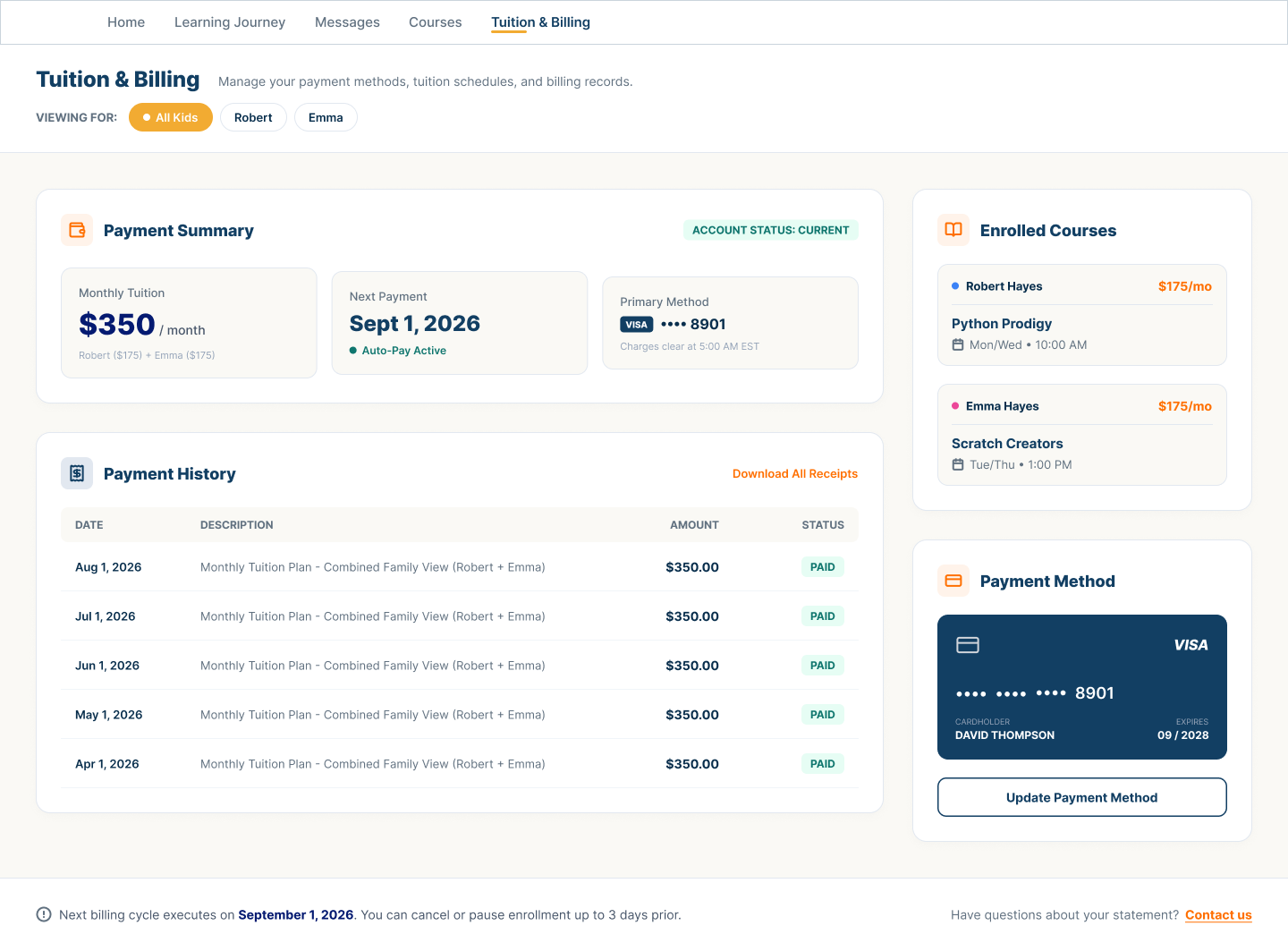
A combined Family summary can keep the next payment, payment state, history, enrolled courses, method, and receipt access together.
The experience is practical Family account context, not a replacement for accounting software. All amounts, dates, payment details, and course records visible here are illustrative.
Account preferences
Keep preferences and contact details current.
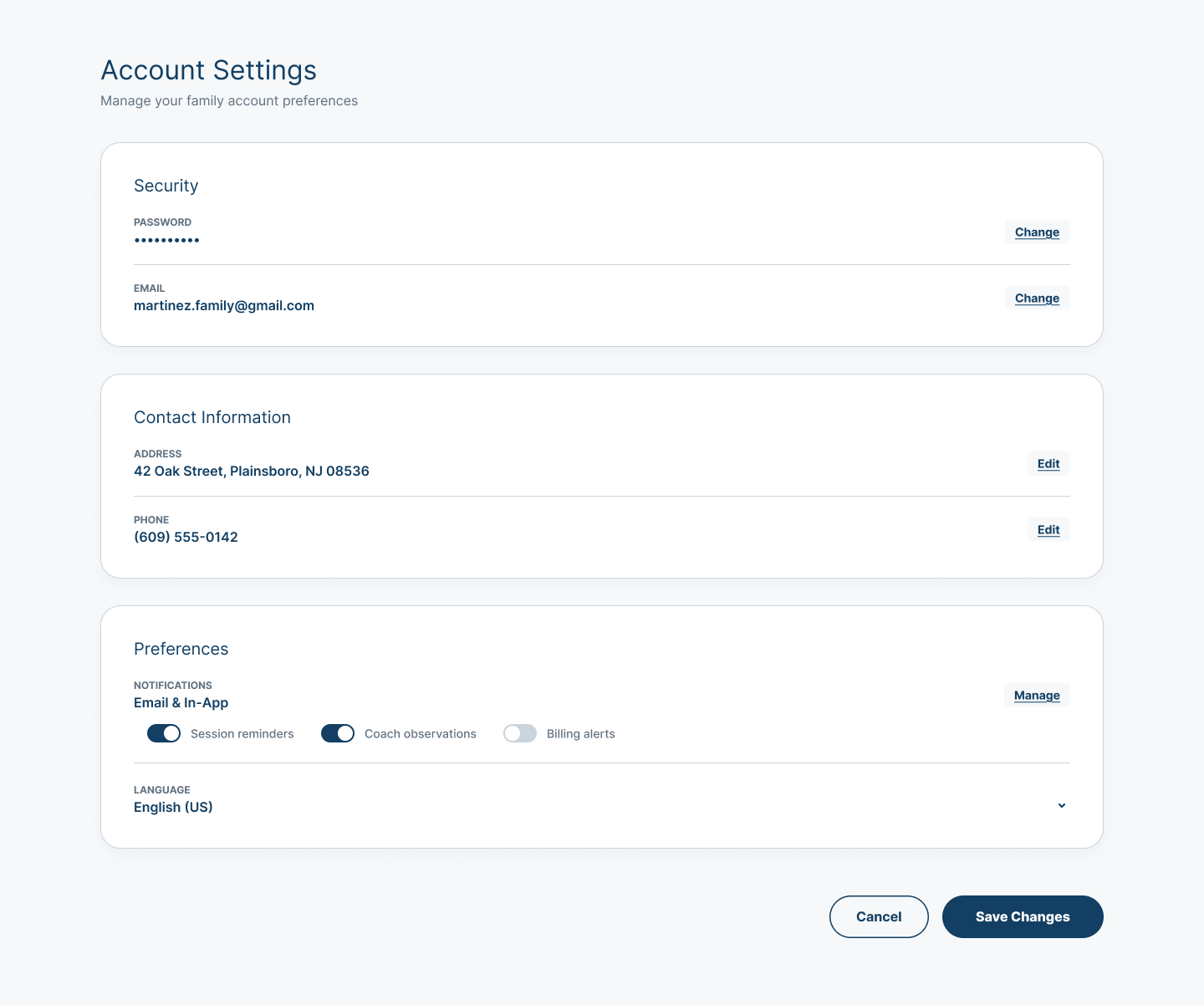
Families can review account security, email, address, phone, notification preferences, and language from one settings view.
Self-service controls keep Family account context current without overstating identity, security, or notification capabilities.
Support and guidance
Get help without guessing where to go.
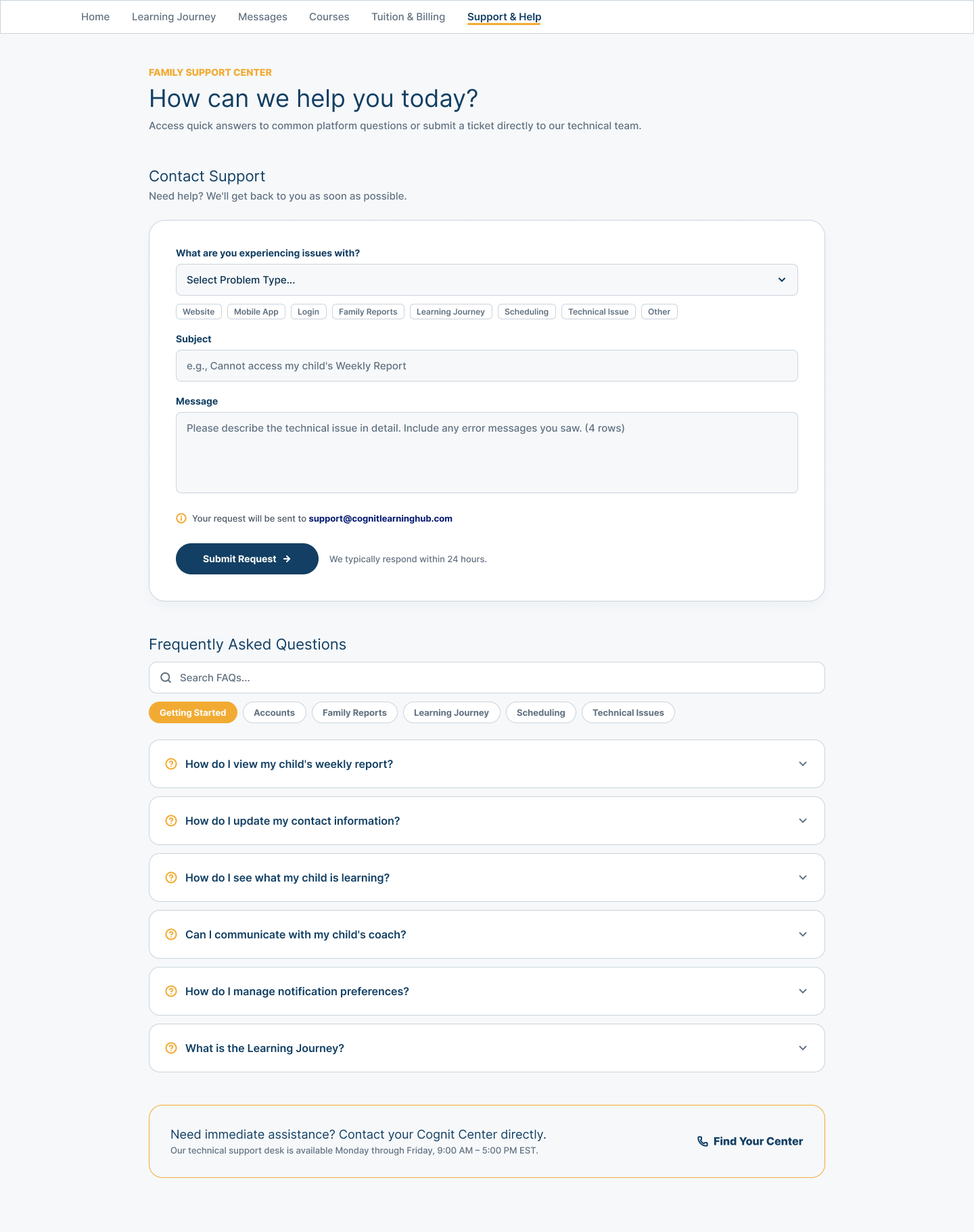
A guided support path can help Families choose an issue category, describe what happened, search common questions, and understand when Center help is the appropriate next step.
The screenshot contains illustrative Demo support details. Public Cognit Learning contact remains connect@cognitlearning.com; no support response time is promised here.
Ready to see the Family experience?
Follow the Family view from learning updates through everyday coordination, or talk with us about keeping Families connected to what comes next.